






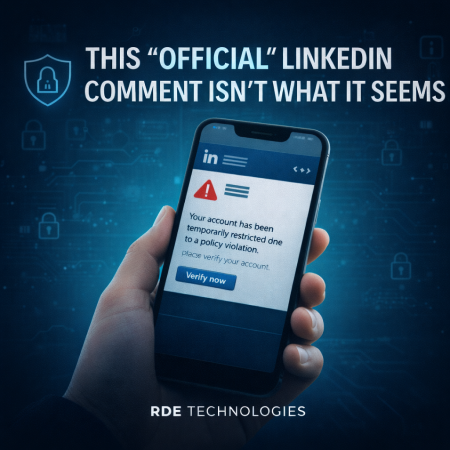
A new phishing scam is circulating on LinkedIn, and it starts in a surprisingly public way. After you publish a post, you may receive what looks like an official response from LinkedIn itself. The comment claims your account has been temporarily restricted due to a violation of platform policies and urges you to take immediate action.
At first glance, the warning appears legitimate. It includes LinkedIn branding and provides a link, instructing you to resolve the issue and restore access to your account. However, this comment is not from LinkedIn at all.
The message is actually posted by cybercriminals impersonating the platform. Clicking the link redirects you to a convincing fake website where you’re prompted to “verify your identity.” If you enter your username and password, those credentials are instantly captured, giving attackers full control of your LinkedIn account.
How to Protect Yourself from This Scam
LinkedIn does not issue policy violations through public comments. Any message claiming otherwise should be treated as suspicious.
Watch for urgent or threatening language. Scammers rely on fear and urgency to pressure users into acting without verifying the source.
Never click links in questionable comments. Instead, log into LinkedIn directly through your browser or app to check for legitimate notifications.
Report impersonation attempts immediately. Flag suspicious comments or accounts so they can be removed and others can be protected.
Staying alert to these tactics can help you avoid account takeovers and keep your professional presence secure.