







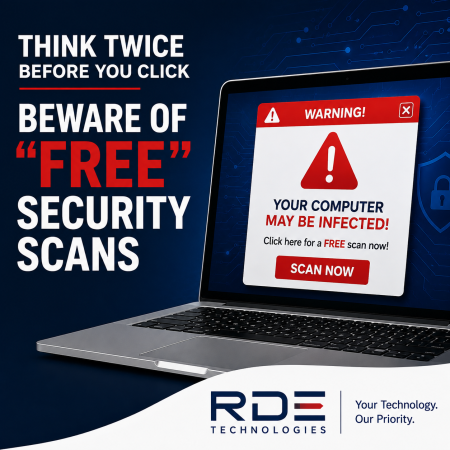
When you see a pop-up warning that your computer is infected or at risk, your first instinct may be to click the link and run a “free” security scan. After all, keeping your computer protected is important.
Unfortunately, not every security warning is legitimate.
Scammers often create convincing pop-ups, advertisements, and websites that imitate trusted technology companies. Some even use familiar logos and urgent messages designed to make you believe your computer has a serious security problem. The goal is to frighten you into paying for software, repairs, or technical support you may not actually need.
How These Scams Work
A typical tech support scam starts with a frightening message claiming that your computer has viruses, malware, or other serious security threats.
You may be told to:
- Download a “free” program to scan your computer.
- Call a phone number for immediate assistance.
- Give someone remote access to your computer.
- Pay for software that supposedly fixes the problem.
- Provide personal or financial information.
In some cases, the software may report numerous problems that are exaggerated, misleading, or completely made up. Once you believe your computer is in danger, the scammer may try to convince you to purchase additional services or speak with a technician.
The Federal Trade Commission (FTC) has taken action against companies accused of using deceptive claims about computer problems to sell repair services. In one case involving Reimage and Restoro, the companies agreed to pay $26 million to provide refunds to affected consumers and were prohibited from making deceptive claims about computer security and performance.
A Pop-Up Doesn’t Mean Your Computer Is Infected
One of the most important things to remember is that a warning appearing in your web browser does not automatically mean your computer has a virus.
Scammers can make a webpage look like a legitimate Windows or security alert. They may use flashing messages, countdown timers, alarming sounds, or phrases such as “Your computer is infected!” to pressure you into acting immediately.
That sense of urgency is intentional.
A legitimate security solution doesn’t need to scare you into calling a random phone number or purchasing a service from an unexpected pop-up.
Warning Signs to Watch For
Be cautious if a security warning:
- Suddenly appears while you’re browsing the internet.
- Uses alarming language or tells you to act immediately.
- Displays a phone number and instructs you to call.
- Claims to be from Microsoft or another trusted technology company.
- Asks you to download unfamiliar software.
- Requests remote access to your computer.
- Demands payment to remove a supposed infection.
If something feels unusual, stop before clicking.
What Should You Do?
If you encounter a suspicious security pop-up, don’t call the number or click the links provided in the message. Close the browser window if possible.
If the warning won’t go away, or you’re unsure whether your computer is actually infected, contact a trusted IT professional who can check the system safely.
Most importantly, don’t let an alarming message rush you into making a decision.
Stay Safe with RDE Technologies
Cybercriminals rely on fear and urgency to get people to act before they have time to think. A “free” computer scan may sound helpful, but if it comes from an unexpected pop-up or unfamiliar website, it’s worth taking a step back.
When it comes to computer security, don’t let a scary warning make the decision for you. Think before you click.
If you’re unsure whether a security warning is legitimate, RDE Technologies can help you determine what’s really happening and keep your technology protected.