







It's Tuesday morning, the office internet feels unusably slow, and every department has a different theory. Someone blames the ISP, another points to a cloud app, and a third suspects malware. Without useful traffic records, you're left guessing, rebooting equipment, and hoping the problem doesn't return.
Good monitoring helps you answer three practical questions: who is communicating with whom, how much traffic is moving, and when it's happening. It won't diagnose every application fault or decide whether unusual activity is malicious, but it gives you evidence to investigate instead of assumptions. For a small business, the right approach doesn't require an enterprise operations center. It starts with collecting the level of detail that answers the question at hand.
Table of Contents
- Why Network Traffic Monitoring Matters
- Choosing Between SNMP Counters, Flow Records, and Packet Capture
- Setting Up a Layered Monitoring System
- Reading Traffic Data and Investigating Anomalies
- Monitoring Encrypted Traffic Without Sacrificing Privacy
- Deciding Between DIY Monitoring and a Managed IT Partner
Why Network Traffic Monitoring Matters
A slow connection doesn't identify its own cause. The internet link might be saturated, a scheduled backup might be competing with staff applications, or one workstation might be sending traffic to an unfamiliar destination. Those problems can feel identical to users, but they leave different patterns in network data.
Start by separating interface health from traffic attribution. An interface graph can show that a link is busy, but it won't necessarily reveal which conversation is consuming capacity. Flow records can identify communicating systems and the volume involved. A targeted packet capture can then help examine a specific connection when the summaries aren't enough.
Operational rule: Don't restart the firewall just because the network feels slow. First identify which link is affected and whether the traffic pattern explains the complaint.
That distinction matters in a small, multi-site business. A central office may appear healthy while a branch has a saturated internet connection, a misconfigured device, or a problem on the path to a cloud service. If you only look at the central perimeter, you may miss activity between internal segments or at a remote site. RDE Technologies' overview of current network security challenges for small businesses discusses why limited visibility makes it harder for smaller organizations to distinguish operational trouble from security concerns.
Monitoring also has limits. A large transfer isn't automatically data theft, and an unfamiliar destination isn't automatically malicious. Backups, software updates, and legitimate business applications can all create unexpected traffic. Monitoring gives staff the evidence to test those possibilities. It doesn't replace a clear escalation process, application troubleshooting, or a decision by an authorized person about whether an incident has occurred.
Choosing Between SNMP Counters, Flow Records, and Packet Capture
Network monitoring works best when each data source has a defined job. SNMP counters, flow records, and packet capture answer different questions, so installing the most detailed tool everywhere is usually wasteful.
Traditional SNMP monitoring commonly polls an interface every 5 minutes, recording aggregate packet counts, byte totals, errors, and utilization. That's useful for capacity planning and spotting sustained outages, but it can miss short-lived congestion and individual conversations between polls. Carnegie Mellon's network measurement material describes the trade-off between aggregate counters, flow monitoring, and packet-level detail.
| Monitoring Level | What It Records | Storage Overhead | Best For |
|---|---|---|---|
| SNMP-style counters | Interface totals such as packets, bytes, errors, and utilization | Low | Link health, long-term capacity trends, and sustained outages |
| Flow records | Conversation metadata, including source and destination, ports, protocol, counts, and timing | Moderate, lower than full packet capture | Identifying top talkers, attributing traffic, and investigating unusual connections |
| Packet capture | Packet-level details from selected network traffic | High | Focused diagnostics and incident response |
Flow records, including NetFlow-style data, group related packets by attributes such as source and destination addresses, ports, protocol, and nearby timestamps. They provide more context than interface counters without the storage and processing demands of recording every packet. Depending on the equipment and configuration, flow data can show where a transfer began, which systems communicated, and how much traffic passed between them.
Packet capture provides the finest detail, but that detail has a cost. It can create significant storage and privacy concerns, and it's usually unnecessary for continuous, network-wide collection. Use it when flow records have narrowed down the affected host and time window, then capture only the traffic needed to diagnose the issue.
Choose by question: Use counters to ask whether a link is busy, flows to ask who is using it, and packets to investigate what happened during a specific exchange.
Setting Up a Layered Monitoring System
A small business does not need a sensor on every wall jack. It needs coverage where traffic changes hands: internet edge, inter-VLAN links, VPN termination, cloud gateways, and branch uplinks that bypass headquarters.
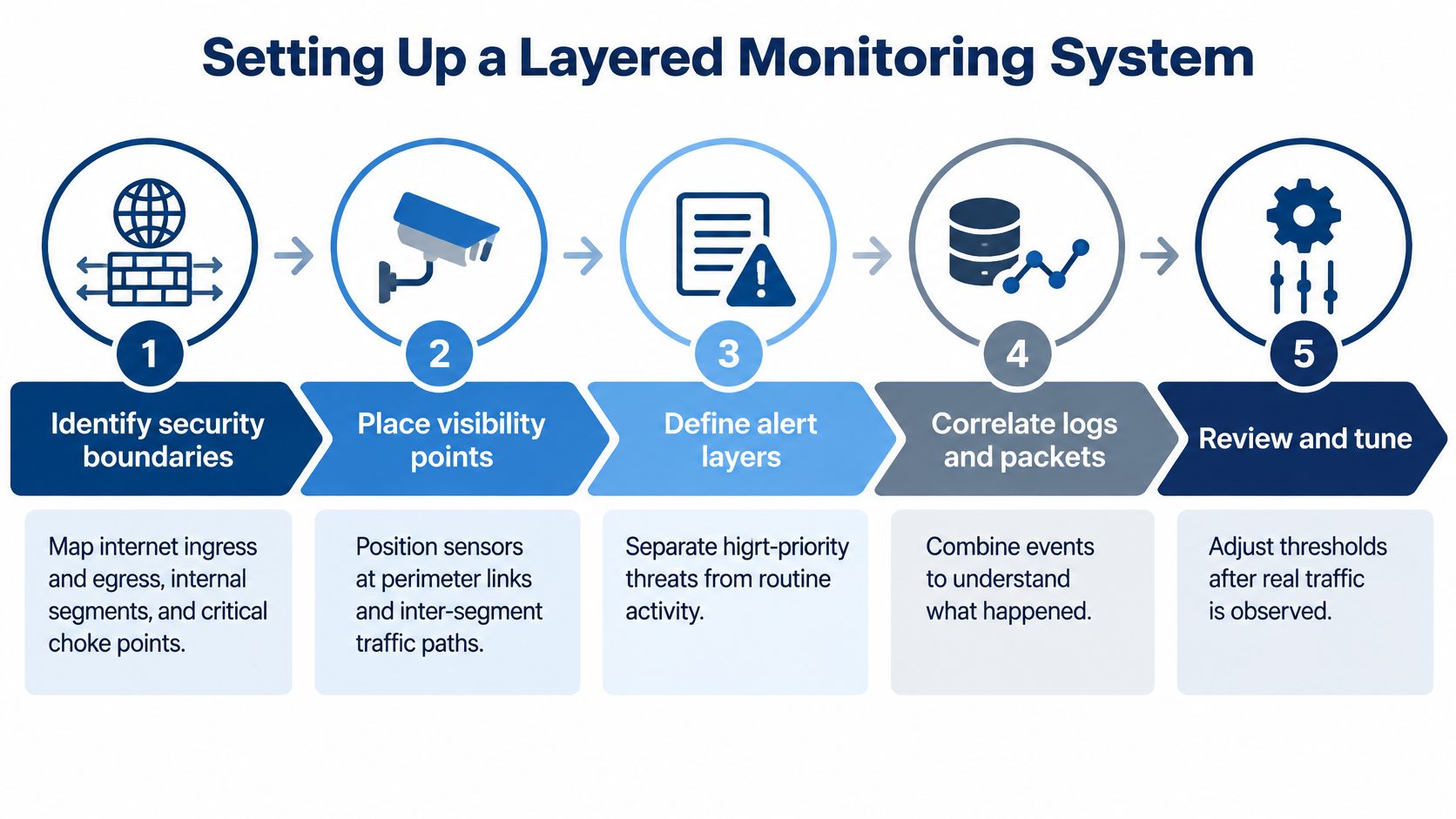
Build visibility in deployment order
Map boundaries and choke points. List internet ingress and egress, links between segments, VPN concentrators, cloud gateways, and branch paths. A branch with local breakout can produce traffic the central firewall never sees.
Turn on flow export where equipment already supports it. Configure NetFlow, IPFIX, or the vendor equivalent on routers, switches, and firewalls. Keep fields that answer who, where, when, how much, and under which protocol: source and destination, ports, timestamps, packet and byte counts, and TCP flags.
Centralize the records that explain flows. Send flow, DNS, firewall, proxy, endpoint, and cloud-flow logs to one collector or SIEM. A flow may show an odd destination; DNS and identity records are often what connect it to a process, user, or approved service.
Baseline before writing alerts. Record normal source-destination pairs, ports, byte counts, connection frequency, and time-of-day patterns for a few business cycles. Then alert on deviations that matter: unexpected listeners, protocols that do not fit the segment, large outbound transfers, and repeated short connections to new destinations.
Reserve packet capture for narrowed questions. Add a SPAN port or physical or virtual tap only after counters and flows point to a host, interface, or time window. Continuous capture creates storage cost and privacy exposure; scoped capture gives evidence without collecting everyone's traffic by default.
CISA recommends collecting NetFlow at all ingress and egress points of network segments, not only at the central internet connection, and retaining it for at least 180 days so later investigations have history to work from. Treat anomalies as leads to validate, not automatic incidents. See the CISA cybersecurity advisory on threat hunting and NetFlow collection.
Reading Traffic Data and Investigating Anomalies
Collecting records is only useful if someone can interpret them. Different measures reveal different parts of a problem. Bytes and packets help show volume and utilization. Flows identify communicating systems and applications. Source-destination pairs can expose unusual reachability or scanning behavior.
Long-term measurement research compared bytes, packets, flows, and source-destination pairs, and highlights a practical lesson: track both volume and behavior, with consistent timestamps and repeated sampling to make comparisons useful. The Sprint IPMON and passive measurement research documents this measurement approach.
Triage before escalating
Suppose a workstation begins sending a large amount of traffic to a cloud service the team doesn't recognize. Don't label it exfiltration based on volume alone. Use flow records to establish the source host, destination, timing, protocol, and amount of data, then compare those details with the device's usual activity and the business schedule.
Next, check the context. Is the workstation running an approved backup, synchronization, or file-transfer application? Did an employee start a legitimate upload? Does the destination align with a known vendor or cloud service? DNS, endpoint, firewall, and identity records may help answer those questions without immediately capturing content.
If the flow still looks suspicious, use the record to narrow the time and connection, then take a targeted packet capture if it's justified. A focused capture can help identify protocol behavior or confirm how a connection was established. It also avoids the unnecessary storage and exposure that come with capturing everything across the network.
A useful investigation record should preserve what prompted the review, which sources were checked, and why the activity was treated as expected or escalated. That discipline helps staff distinguish an application misconfiguration or large backup from a genuine security concern. For a related discussion of handling heavy traffic before it affects business operations, see how to keep high traffic from crashing your servers.
Monitoring Encrypted Traffic Without Sacrificing Privacy
Decrypting everything isn't a sensible default. TLS 1.3's forward secrecy limits older passive-decryption approaches, while decrypting traffic can expose private, privileged, or regulated content to administrators and monitoring systems.
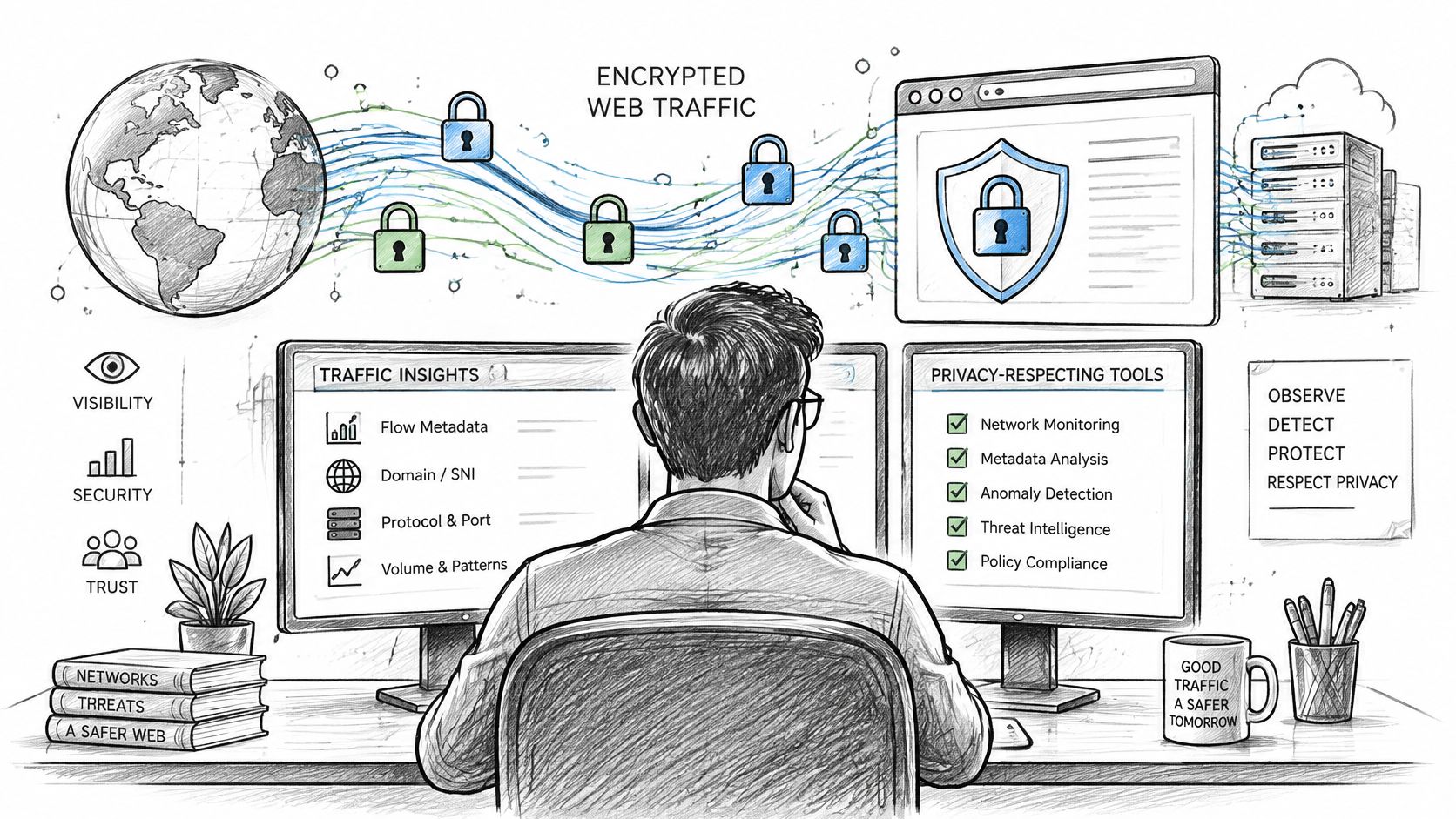
NIST's guidance favors a risk-based combination: selectively decrypt traffic when the security value justifies the privacy and operational costs, and use metadata, machine-learning techniques, and other heuristics to assess traffic that remains encrypted. Its TLS visibility guidance also identifies key management, protection of recorded traffic, and privacy expectations as management challenges.
Before decrypting a category of traffic, consider its data sensitivity, user privacy expectations, regulatory exposure, device ownership, and the monitoring objective. A healthcare provider or law firm should be especially careful: decrypted content could contain protected health information or privileged communications. A decision to inspect should have a defined security purpose, not be enabled only because a tool offers the option.
Protect the records as carefully as the traffic itself. Limit access to authorized personnel, encrypt stored captures, define how long data is retained, and securely delete re-encryption keys after analysis. Keep the policy clear about who can approve inspection and how staff access is documented.
For a quick overview of the practical considerations, the video below accompanies this discussion.
Metadata visibility won't reveal encrypted message contents, and it shouldn't be presented as a substitute for every form of inspection. It can still help identify which systems communicate, when connections occur, and whether behavior departs from an established baseline, while reducing the exposure created by broad decryption.
Deciding Between DIY Monitoring and a Managed IT Partner
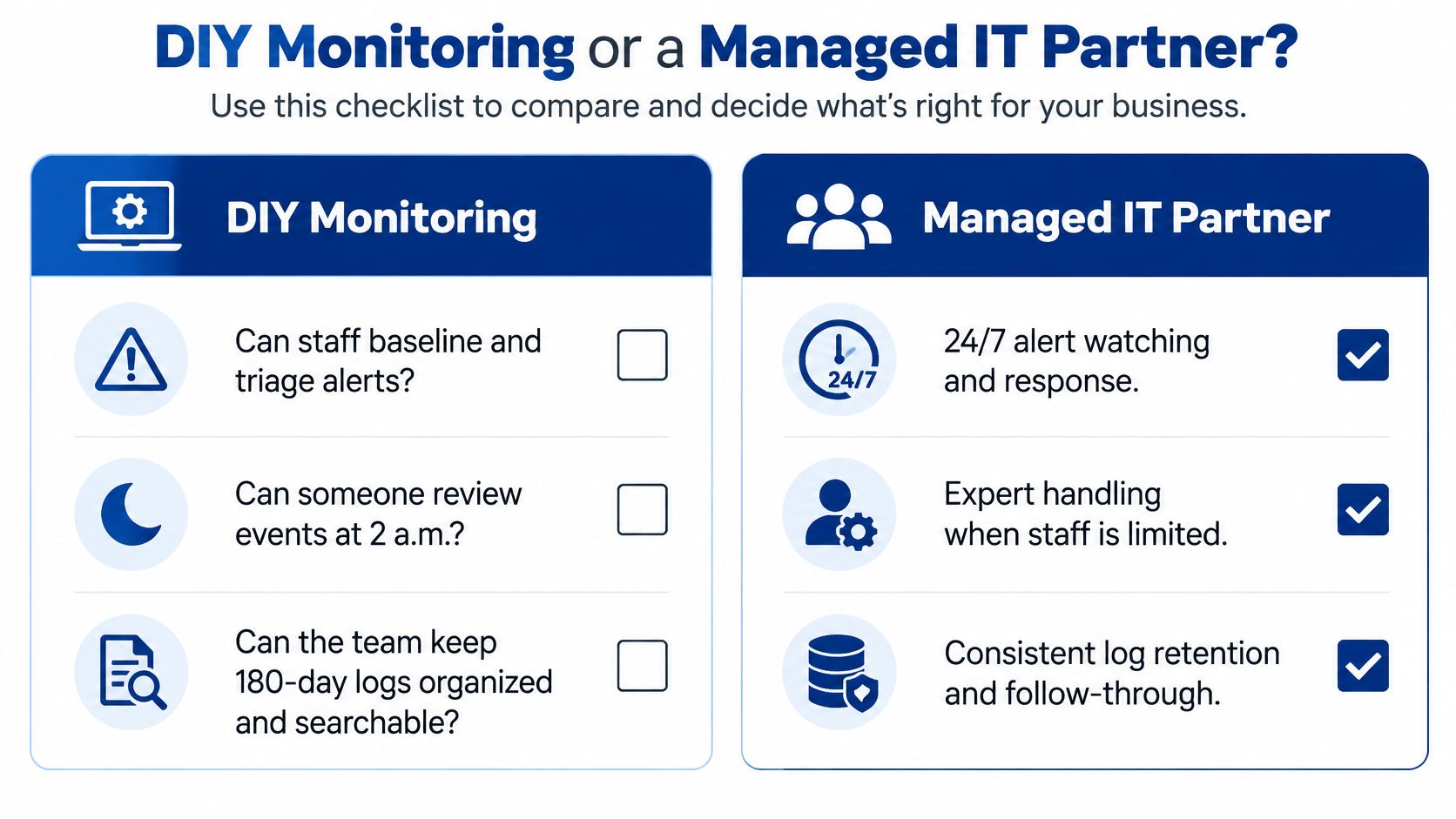
The practical decision isn't just which monitoring tool to install. It's who will review the alerts, investigate them, and act when they arrive outside business hours. A dashboard no one checks won't help much during an outage or a suspicious transfer.
DIY monitoring can make sense when someone on staff can maintain the systems, build and update baselines, triage alerts, and document investigations. Ask whether the team can keep multi-site visibility consistent, retain searchable records for the required period, and respond when an important event occurs at night. If the honest answer is no, weekday graphs alone may not meet the business's needs.
A capable managed arrangement should provide continuous flow visibility at important ingress and egress points, baseline-based alerting, documented access policies, and targeted packet capture for investigations rather than indiscriminate recording. CISA similarly recommends persistent flow visibility, normal-behavior baselines, and alerts for deviations, with targeted capture used to gather deeper evidence after an anomaly has been identified. Its enhanced visibility and hardening guidance describes that layered approach.
RDE Technologies provides server and network monitoring, network security, firewalls, content filtering, managed antivirus for desktops and servers, desktop patch management, and advanced ransomware protection for endpoints. It also monitors system statuses to help avoid system failures. Businesses comparing in-house and outsourced support can review the benefits of managed IT services as part of that decision.
Take one concrete step this week: baseline a single egress point and record which devices and destinations account for ordinary traffic. If your team needs help assessing network monitoring alongside broader infrastructure and support needs, use RDE Technologies' request-a-callback option to start a focused discussion.
RDE Technologies provides server and network monitoring, security management, and technical support for businesses that need clearer visibility into network activity and system health. Visit RDE Technologies to discuss your monitoring needs or request a call back.