
24/7 managed IT services mean a person answers at any hour and a written path exists to restore critical systems, not merely that an alert fires overnight. That distinction matters because the most popular advice, buy round-the-clock monitoring and the building is covered, leaves out the hard part.
An alert can tell someone a server stopped. It can't decide whether the device is infected, approve a shutdown, open a tested backup, call the record vendor, or tell a nurse what to use while charting is down. Monitoring is useful. It isn't recovery.
The useful question is narrower. Which critical functions can be restored, by whom, within what verified time, and from what tested copy? Every buying decision that follows should be tested against that question.
Table of Contents
- What 24/7 Managed IT Services Actually Cover
- How an Overnight Alert Reaches a Person
- Maintenance Security and Backup Between Calls
- How to Respond When Systems Go Down
- After-Hours IT in a Skilled Nursing Facility
- Which Systems Need a Person All Night
- Confirm Coverage Before You Sign
What 24/7 Managed IT Services Actually Cover
What each layer of 24/7 coverage does
| Layer | What it covers | When you need it | What it does not guarantee |
|---|---|---|---|
| Automated monitoring | Servers, internet, wireless, and backup jobs | A failure should be noticed without a phone call | A person answering or a system restored |
| Staffed help desk | Phone, chat, and a remote session at any hour | A staff member is blocked from working | Hardware replacement or a tested data restore |
| Security triage | Odd logins, ransomware signs, and suspicious change | An active attack may be underway | That isolating a device brings clinical or legal work back |
| Remote repair | Settings, services, and software an engineer can reach | The fix does not need hands on the hardware | A dead switch, cut cable, or local-only failure |
| Onsite technician | Hardware, cabling, and wireless on the premises | Remote tools cannot reach the fault | An instant arrival; travel time still applies |
| Backup restore and vendor calls | Offline copies plus the record, phone, or carrier vendor | Data or the main application is unusable | A restore that was never tested or a vendor who was never named |
An alert alone can't reopen a chart, restore a phone path, or bring back a case file.
Separate the alarm from the answer
Automated monitoring watches the equipment. It checks whether servers respond, disks are filling, internet paths drop, wireless access points disappear, and backup jobs complete. When a check fails, it sends a notice. That's valuable because staff shouldn't have to discover every failure by trying to work.
It still leaves open who reads the notice. Some plans route alerts to a person. Others leave them in a queue until morning. Buyers should ask for that path in plain words before comparing price.
A staffed help desk is the next layer. A nurse, paralegal, or office manager can call or chat, explain what's blocked, and start a remote session. That covers locked accounts, a frozen application, or a workstation that won't reach the network. It doesn't cover a failed switch in a closet.
A plan can watch everything and still restore nothing overnight. The contract has to say who acts after the alert.
Separate a repair from a recovery
Security triage changes the job. Repeated failed logins, files changing in bulk, or a workstation contacting an unknown address aren't ordinary support calls. The first move may be to isolate the device, not restart it and hope. That protects other systems, but it can also take a needed workstation offline until someone checks it.
Remote repair works when an engineer can reach the system and the fault is in settings, services, or software. Onsite dispatch covers what remote tools can't touch: dead hardware, damaged cabling, a failed access point, or a switch that won't power on. Travel time is part of that layer, so staff need a workaround while a technician is on the way.
The last layer decides whether work returns. A backup restore needs clean, tested copies. A vendor call needs named contacts, account access, and permission to act. Facilities and firms that want reliable technology for daily operations should judge a proposal by how clearly it maps those layers to real systems, not by the headline hours.
Mark each system before signing anything. Which ones need a human overnight? Which can wait until morning without harming residents, clients, or records?
How an Overnight Alert Reaches a Person
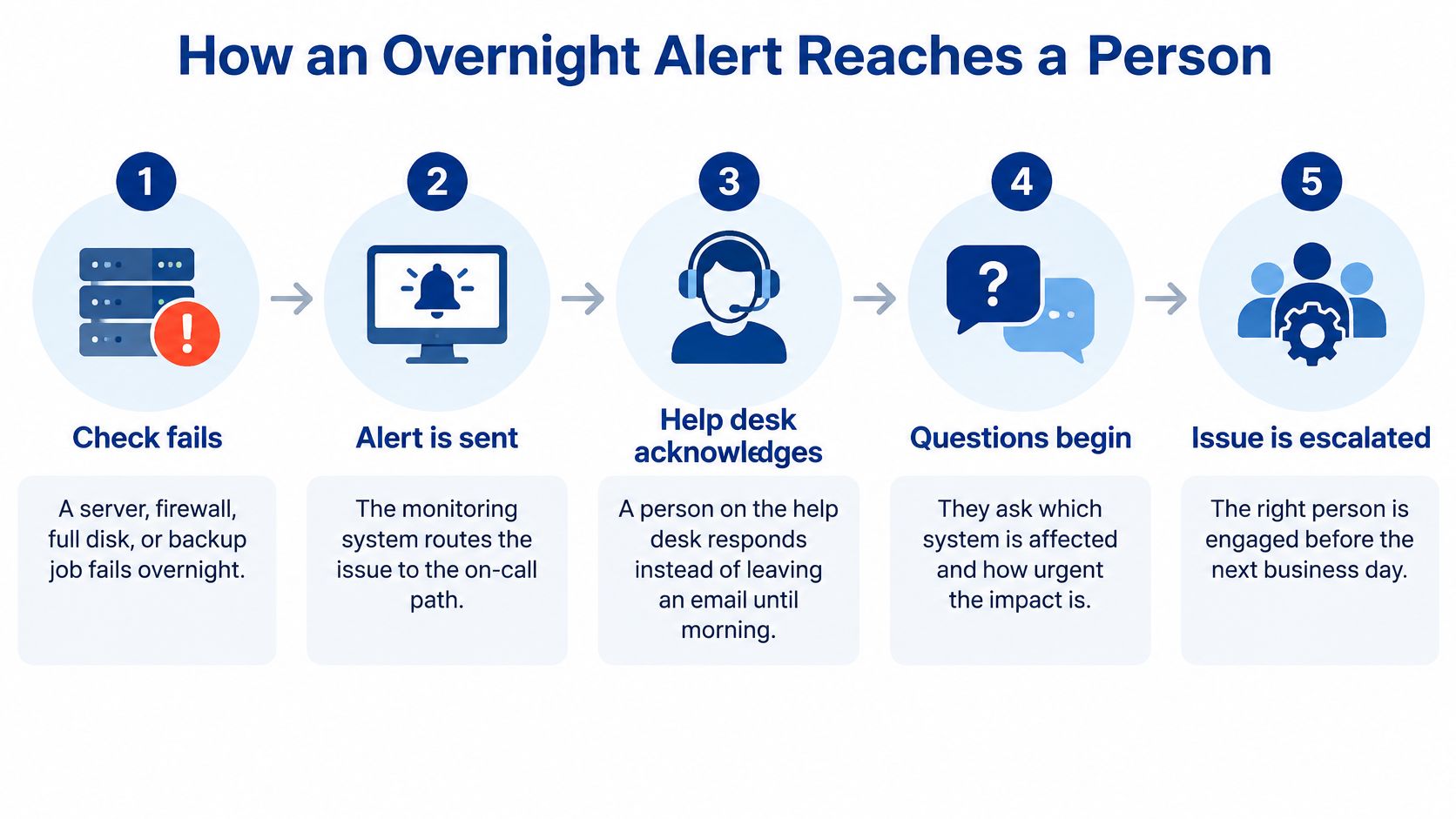
Say a disk fills up on a file server at 1:40 a.m. The monitoring check fails, then fails again. A single missed check might be a brief network hiccup, so the system confirms the failure before it sends an alert.
That alert should go to an on-call path, not to a shared inbox nobody opens until 8 a.m. For a plain example of how alert routing can be grouped by severity and recipient, see this overview of using action groups for Azure alerts. The tool matters less than the result: a named person receives it and acknowledges it.
The questions come before the fix
Acknowledgment isn't a repair. It's a person saying, in effect, this one is mine. Then the questions start. What stopped working? Charting, phones, email, or a shared drive? Is one workstation affected, one wing, or every building? Did anything change just before it failed?
Those answers set the order of work. If signs point to an attack, such as files being renamed or an account logging in from an unusual place, the technician isolates the device first. Bringing it back quickly could spread the problem.
If the cause is known and safe to fix, the technician connects remotely, clears the fault or restarts the service, and watches the check pass again. The job isn't done until a staff member confirms the work itself is possible. A green dashboard doesn't prove a nurse can open a record.
When remote help isn't enough
Some failures need hands. A switch with no power, a cut cable, or a dead wireless access point can't be repaired from a desk. The help desk then arranges a field technician and tells staff what to use in the meantime, such as a workstation in another area or a documented downtime form.
Monitoring is like a smoke alarm. The help desk is the person who walks the building. The alarm doesn't put out the fire.
RDE Technologies staffs its help desk 24 hours a day, 7 days a week, monitors systems so problems can be caught before they stop work, and offers remote support through an online remote support and collaboration portal, with field technicians for clients across the United States. Readers who want the monitoring mechanics explained can review how remote monitoring and management software works.
The on-call administrator should hear three things back before the night ends:
- What's down: The system, the locations affected, and the work that can't be done.
- What changed: What was isolated, repaired, restarted, or replaced.
- What's still waiting: The vendor call, part, or restore that remains open, plus who owns it.
Maintenance Security and Backup Between Calls
Most of the value in round-the-clock coverage happens when nobody has called. Four jobs run in the background, and each one prevents a different kind of night.
Maintenance and security management
Maintenance means patching servers, desktops, and network gear, then replacing parts that are starting to fail before a night shift finds them. A drive reporting errors on Tuesday is a planned swap. The same drive ignored until Saturday night is an outage.
Security management is broader than antivirus on one computer. It covers server and network monitoring, firewalls, content filtering, managed antivirus for desktops and servers, patch management for desktops, and advanced ransomware protection for endpoints. That combination matters because an attacker doesn't need every door open. One unpatched, shared workstation is enough.
Those two jobs reduce how often the phone rings. They don't prove the organization can recover when something still gets through.
Backup monitoring is not backup proof
Backup monitoring checks job completion, repository connectivity, retention, encryption status, and any sign that copies are being deleted. Restore testing is the separate job that proves those copies can rebuild files, applications, permissions, and databases.
Practical rule: A completed backup job is a log entry. A tested restore is evidence.
Treat backup as a recovery control, not a folder that fills up. The CISA ransomware guide recommends maintaining critical data in offline, encrypted backups and regularly testing both backup availability and integrity in a disaster-recovery scenario. The reason is direct: ransomware commonly searches for accessible backup repositories and tries to delete or encrypt them, so offline separation limits what an attacker can reach.
A managed backup arrangement should therefore include onsite and offsite backup, colocation disaster recovery, data retrieval, and offsite replication where those fit the site. More important than the list is the reporting attached to it.
Ask for four items in every report:
- Recovery point objective: How much data loss is acceptable, stated as time.
- Recovery time objective: How quickly each named service must return.
- Last verified restore date: The date a restore was proven, and what was restored.
- Open exceptions: The failures the customer must fix, such as an unreachable server or expired credentials.
For a care site, restore drills should start with clinical systems, medication workflows, communications, and access to protected health information. Under the HIPAA Security Rule at 45 CFR 164.308, availability of electronic protected health information is part of security, not a convenience. Readers should confirm the details with their compliance officer or counsel.
How to Respond When Systems Go Down
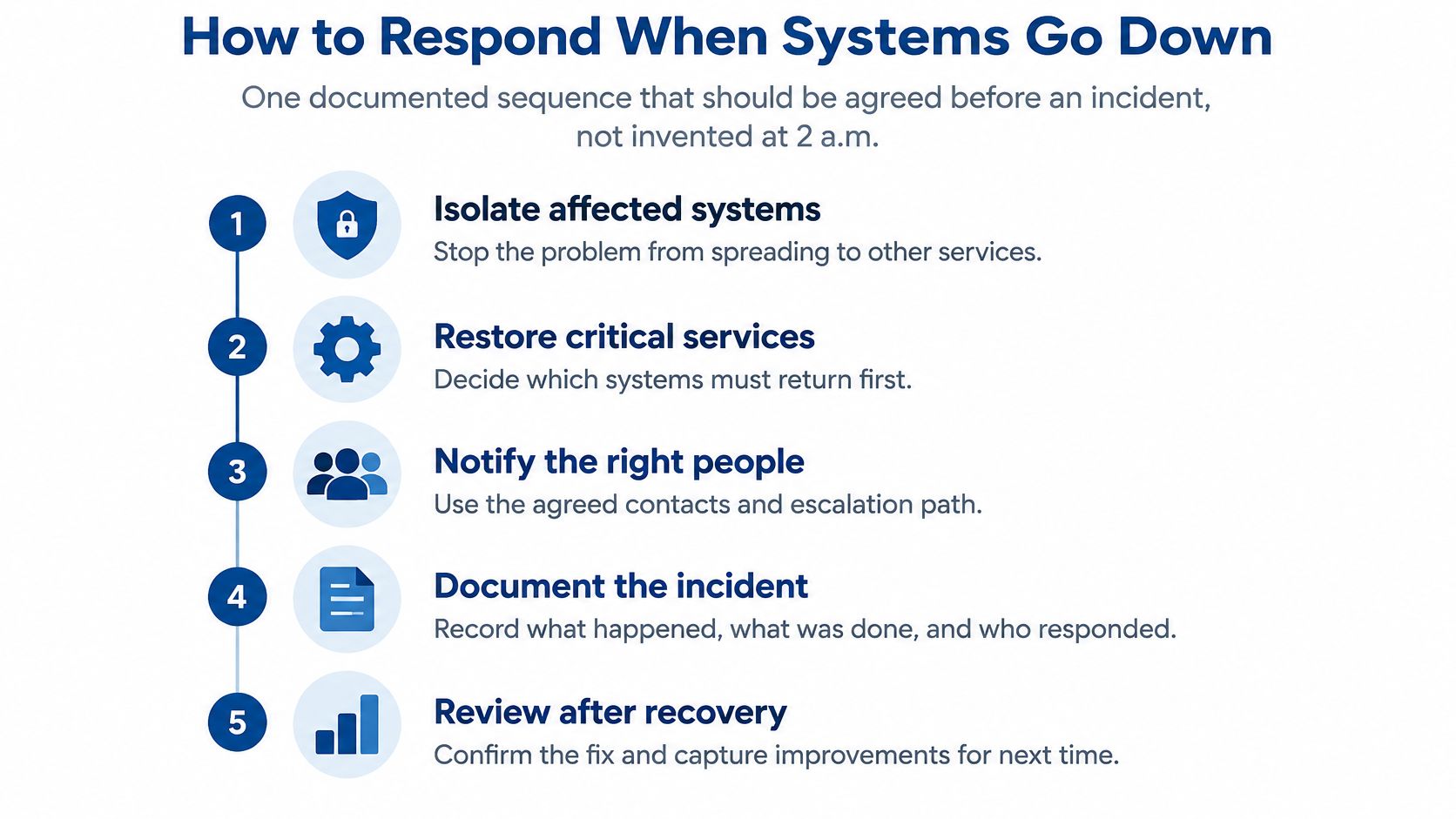
Agree on the sequence before an incident. Nobody should be inventing it at 2 a.m. while a supervisor waits for instructions.
- Isolate affected systems so the problem doesn't spread to clean devices.
- Decide which services return first using a priority list made in advance.
- Restore from offline encrypted backups, not from a copy an attacker could reach.
- Check each restored system and confirm it's clean and working before reconnecting it.
- Record what happened, what was fixed, and which weakness is still open.
Why isolation comes before speed
The instinct in an outage is to bring everything back quickly. With ransomware, that instinct can re-infect clean systems and turn one bad night into several. The CISA and MS-ISAC ransomware guide directs organizations to isolate affected systems, prioritize restoration around critical services, restore from offline encrypted backups, and prevent clean systems from being re-infected during reconnection.
That means written rules have to exist ahead of time. Who may approve shutting down a compromised server or endpoint without waiting for morning? Where are clean recovery images kept? Which vendor gets called, and who has the account details to open that case? A provider trying to streamline incident triage and escalation still needs those answers from the client in writing.
The restore order decides the length of the outage
For a nursing home or multi-building operator, a practical order is identity and network first, then phones, then the electronic record, then clinical workstations. Identity services control who can sign in, so restoring the record before them leaves staff staring at a login screen. Returning a charting system to a still-infected network is worse. It can spread the compromise and force a second shutdown.
Facilities that use PointClickCare should keep a printed downtime path for staff as well, such as this checklist for an electronic health record outage. A law office runs the same sequence with a different order: identity and network, then the document system and email, then individual workstations.
Track time to acknowledge, time to contain, and time to restore each critical service. Then check those times against the objectives set before the incident. NIST recovery guidance also calls for an after-action report that lists vulnerabilities closed after recovery, so the same hole doesn't reopen the building next month.
Schedule a practice run. A monitoring tool and a 24/7 phone line don't prove the team can execute the order under pressure.
After-Hours IT in a Skilled Nursing Facility
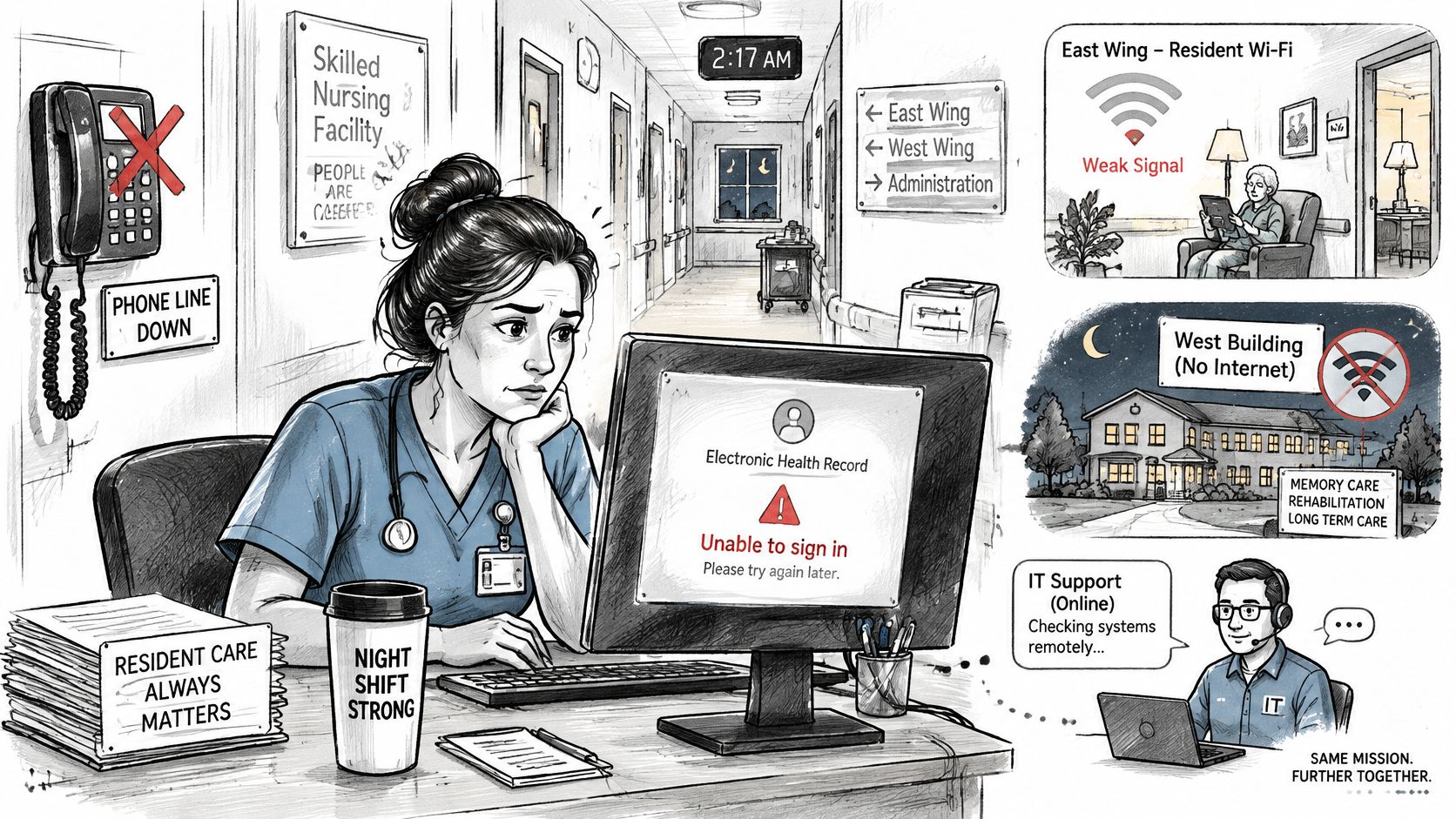
It's 3 a.m. and a nurse can't sign into the electronic record, such as PointClickCare. In another wing the resident Wi-Fi has dropped. A second building has lost internet while the first building is fine. Each failure looks small on a ticket list. Together they decide whether the night shift can document care, reach a physician, and hand off cleanly at 7 a.m.
A dashboard turning red is only half the answer at that hour. The other half is a person who can restore the record from a tested backup before the day shift arrives.
Know which systems are IT and which are not
Nurse call is usually separate life-safety equipment with its own vendor. The IT provider should still know who supports it and how staff reach each other if ordinary phones fail. That contact belongs on the same one-page night sheet as the internet carrier and the record vendor. Treat the sheet like the evacuation card posted at each station: printed, short, and readable at 3 a.m.
VoIP phone failover, which can keep business calls moving when a local internet path drops, helps families, physicians, and the front desk stay reachable. Because hosted VoIP needs no equipment on site, calls can also follow staff working off-site. It doesn't replace clinical alarms, and nobody should treat it as though it does.
Wireless design matters here too. Coverage that works in an office can fail across resident wings, medication rooms, and thick interior walls. RDE Technologies designs and installs wireless networks for nursing homes and assisted living communities. If you run more than one building, ask for reporting broken out by facility, because one blended view can hide the single building that keeps failing.
Document the risk before surveyors ask
The HIPAA Security Rule requires covered entities and business associates to conduct an accurate and thorough assessment of risks and vulnerabilities affecting the confidentiality, integrity, and availability of electronic protected health information, as set out in the HHS summary of the HIPAA Security Rule. The assessment covers information the organization creates, receives, maintains, or transmits, and it must be documented. HHS doesn't prescribe one format, so the review can be scaled to the facility's size and complexity.
The regulation reference is 45 CFR 164.308(a)(1)(ii)(A) for risk analysis. In practice the review should cover:
- Clinical systems: The record platform, medication tools, and interfaces between them.
- Shared access points: Clinical workstations, unattended terminals, and remote-access accounts.
- Infrastructure: Servers, wireless networks, backups, and links between buildings.
CMS emergency-preparedness rules for long-term care at 42 CFR 483.73 also address communications and continuity of operations, so the same paperwork often serves both purposes. Review the current text and your own plan with a compliance officer or counsel, then ask how your HIPAA-focused IT support handles after-hours escalation. An IT assessment covering risk, data storage, server and network infrastructure, business continuity, and network security, the scope RDE Technologies works through, gives an administrator a documented starting point instead of a verbal opinion.
Which Systems Need a Person All Night
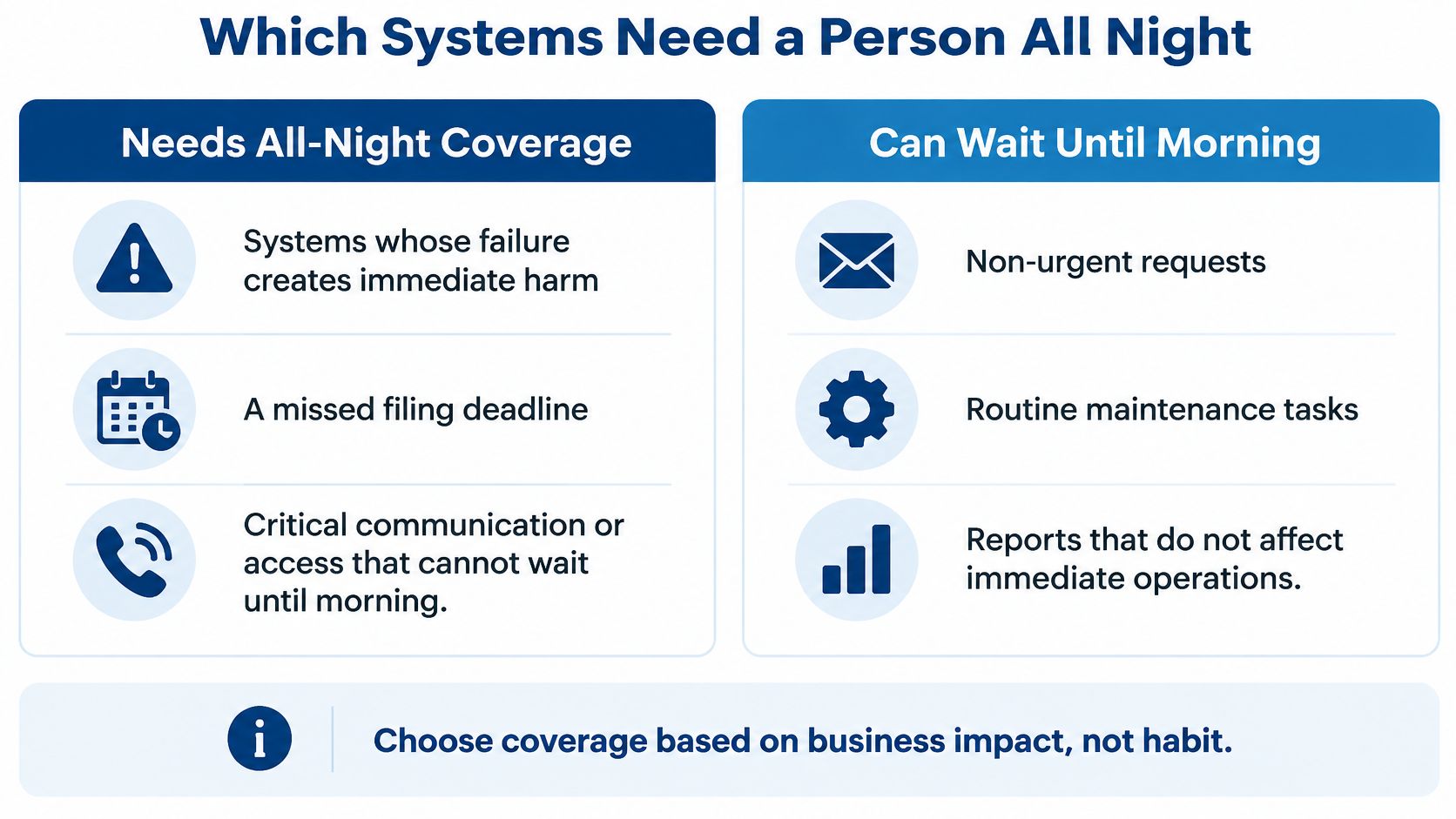
Use one decision rule: pay for a person all night where a failure creates immediate harm, a missed filing deadline, a confidentiality problem, lost work across sites, or a regulatory issue. Let the rest wait for business hours.
Match overnight coverage to what fails
| System | If it fails at night | Coverage that fits |
|---|---|---|
| Electronic record or medication system | Care is delayed and survey risk rises | Human response plus a tested restore |
| Law-firm documents or email before a deadline | A filing is missed or client files are exposed | Human response and named restore steps |
| Business VoIP phones | Nurses or clients cannot be reached | Human response plus phone failover |
| Backup job | The failure stays hidden until data is needed | Continuous job monitoring and a tested restore |
| Guest or resident Wi-Fi | Inconvenience, unless care or calls depend on it | Monitoring and next-business-day repair |
| Single office printer | Work can move to another printer | Business-hours support |
Read the table against your own building
A Long Island or New York City law firm can apply the same test a nursing home uses. Documents and email before a filing deadline deserve a person. One printer on the third floor doesn't, because staff can walk to another one. Guest wireless usually waits, unless residents or clients depend on it to reach the facility.
Backup jobs are the exception that fools people. Nobody feels a failed backup at midnight. It only shows up weeks later, when data is needed and the copy isn't there. That's why it stays on continuous monitoring even though no user ever calls about it.
Choose coverage based on business impact, not habit.
Before paying for the widest plan, the contract should say whether the fee includes security triage, infrastructure repair, onsite visits, backup restoration, calls to the software or phone vendor, and who may update leadership. The larger gap is often an untested restore, no inventory of critical devices, and no written downtime steps. That's not fixed by adding an overnight chair.
A hybrid model keeps monitoring and tested restores running around the clock while moving equipment repair to business hours for systems whose failure harms no client, resident, or record. Compare each provider's price against that split rather than against a headline 24/7 rate.
Confirm Coverage Before You Sign
A proposal can print "24/7" in large type and still leave the building uncovered at 2 a.m. The useful test is narrower: when a monitor fires, which function can be restored, by whom, and from a backup that has been proven. Ask these five questions in one meeting.
- Who answers at 2 a.m., and how fast do they acknowledge the alert?
- What may they isolate without waiting for morning approval?
- Which systems have a tested restore, and on what date was it last proven?
- Who gets called for the electronic record, the phones, and the internet carrier?
- What do staff use, on paper or by cell phone, while that work is down?
If the answers are thin, pause before widening the contract. An IT assessment is the safer next step because it can cover cost reduction, risk, data storage, server infrastructure, network infrastructure, carrier services, cloud services, business services and applications, business continuity, and network security. That turns a slogan into an inventory: each critical system, the person allowed to touch it overnight, the vendor to call, and the proof that its data comes back.
RDE Technologies is based in Oceanside, New York. It provides on-site IT services in New York and remote IT support to companies beyond New York, so coverage can be discussed in terms of what must be handled in the building and what can be handled over a remote connection.
Visit RDE Technologies to request an IT assessment that maps monitoring, overnight response, and tested restores to the systems your staff depend on. If an alert already goes somewhere at 2 a.m., ask who answers it and what they are allowed to restore.