
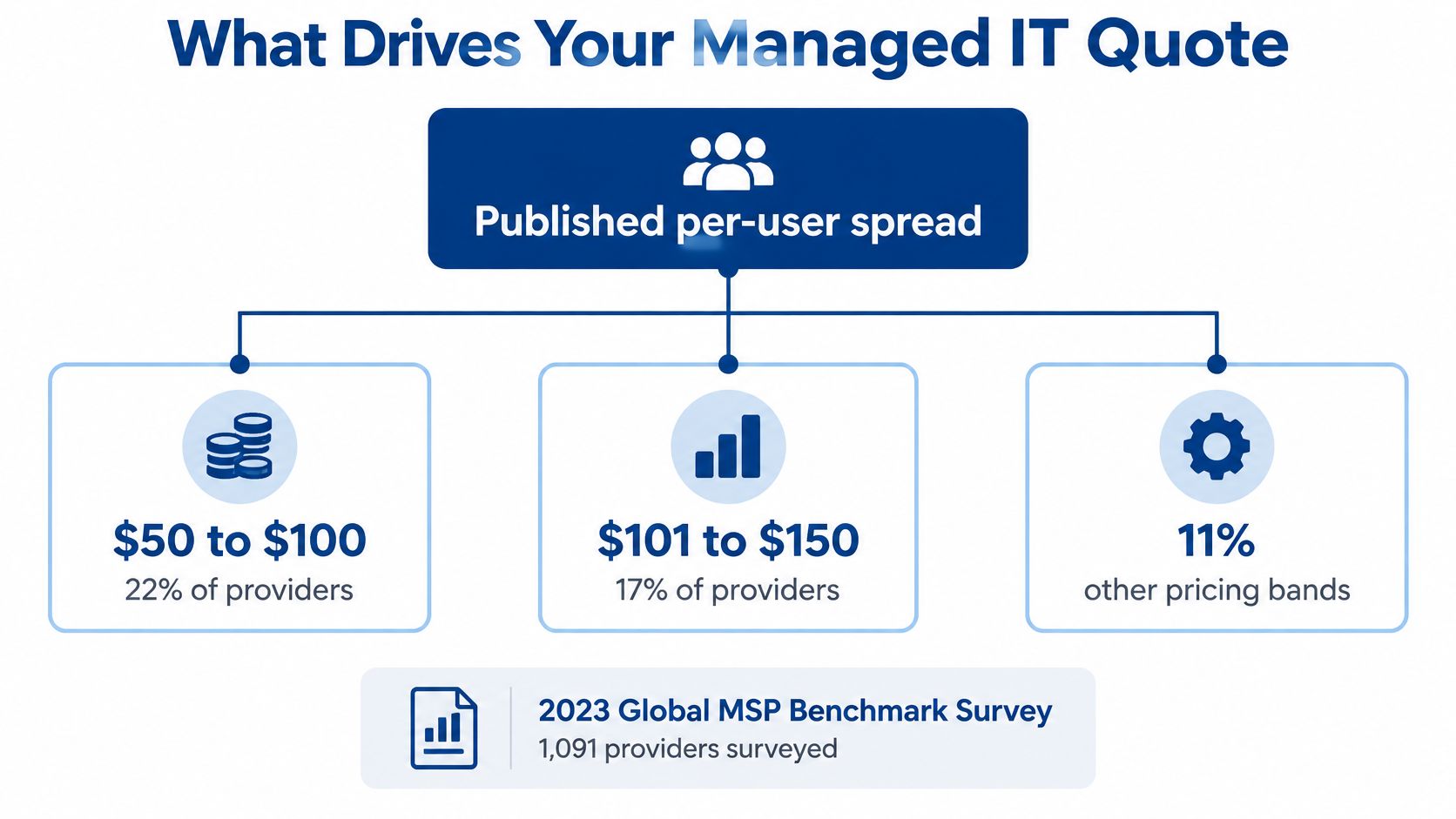
Managed IT services commonly cost $50 to $150 per user per month, or about $1,250 to $3,750 monthly for a 25-user office. In a 2023 survey, 22% of providers charged $50 to $100 per user, while 17% charged $101 to $150.
Those figures are useful for setting a starting budget, not for deciding whether a quote is complete. Actual cost depends on what the monthly fee covers, what is excluded, and how much disruption an organization could face if support or recovery is delayed. For a nursing home, assisted living community, law firm, or multi-site business, a lower fee can conceal costs for security, backups, emergency labor, and onsite work.
Table of Contents
- Managed IT Costs at a Glance
- Pricing Models and What Each One Includes
- What Drives Your Managed IT Quote
- HIPAA, Backup and Scope in a Care Facility Quote
- Hidden Costs and the Real Price of Downtime
- Confirm the Scope Before You Sign a Quote
Managed IT Costs at a Glance
The 2023 Global MSP Benchmark Survey surveyed 1,091 providers and found that per-user monthly fees span several price bands. The following table converts each band into a monthly cost for a 25-user office.
| Price per user per month | Share of providers | Monthly cost for 25 users |
|---|---|---|
| Under $50 | 16% | Under $1,250 |
| $50 to $100 | 22% | $1,250 to $2,500 |
| $101 to $150 | 17% | $2,525 to $3,750 |
| $151 to $200 | 11% | $3,775 to $5,000 |
| $201 to $250 | 4% | $5,025 to $6,250 |
| Over $250 | 1% | Over $6,250 |
| No per-user pricing | 28% | Based on the provider's model |
The most common band, $50 to $100 per user, works out to $1,250 to $2,500 a month, or $15,000 to $30,000 a year, for 25 users. The next band, $101 to $150 per user, works out to $2,525 to $3,750 monthly, or $30,300 to $45,000 annually. These are provider-reported prices for recurring support, not guaranteed buyer invoices.
The survey shares don't add to exactly 100% because of rounding. More significantly, 28% of providers don't offer per-user pricing, which makes a single industry average a poor comparison point. Providers may bill per device, use tiers, or set a flat fee for an agreed environment.
Quick quote check: Divide the monthly fee by the number of users covered. Compare that result with the table, then ask what the quote excludes if it falls in the lowest band.
A nursing facility needs more than a user count to make the comparison meaningful. A quote should also identify devices, servers, buildings, internet circuits, coverage hours, and the security and backup work included.
Pricing Models and What Each One Includes
| Pricing model | How it's billed | What it usually covers | What to test before signing |
|---|---|---|---|
| Per user | Monthly fee for each employee account | Help desk, monitoring, and patching across that user's devices | Shared kiosks, visitor devices, and shift accounts may be excluded |
| Per device | Monthly fee for each computer, server, or network device | Workstations, servers, and network equipment in the agreed inventory | New devices and hires can add charges mid-contract |
| Tiered | Fixed bundles such as basic, standard, and premium | Scope rises with each tier, such as EDR, managed backup, or compliance reporting | Confirm whether the needed tier includes security and backup |
| Flat fee | One set monthly price for an agreed environment | Defined support, maintenance, and monitoring scope | Check how the price changes when headcount, sites, or circuits grow |
| Hybrid or project-based | Monthly base plus hourly or project charges | Core support in the base fee, with projects and emergency work billed separately | Emergency and project labor can exceed the base fee |
Per-user pricing suits offices where employees use several devices. The trade-off is that shared workstations, visitor devices, and accounts used by several shifts may not fit neatly into the provider's user definition.
Per-device pricing ties the bill to the equipment inventory. That can make sense when many people share a smaller number of machines, but added computers, servers, or network equipment can increase the monthly charge.
Tiered plans package services into levels. An entry tier may include remote monitoring, patch management, and basic help-desk access, while higher tiers add endpoint detection and response (EDR), managed backups, after-hours support, or compliance reporting. The key question is whether the tier that fits the organization includes the controls it needs.
Flat-fee and hybrid agreements need clear boundaries. A flat fee can make recurring costs easier to plan, but the agreement should explain how the price changes as the environment grows. A hybrid plan may keep core support predictable while billing projects and emergency labor separately. For a separate comparison of a hosted service's pricing approach, buyers can compare Purple Shield pricing.
The practical rule is to compare quotes only when they use the same billing unit and describe the same scope. A per-device quote and a per-user quote aren't comparable until both the headcount and device inventory are known.
What Drives Your Managed IT Quote
For small and midsize U.S. organizations, a practical benchmark for fully managed IT is approximately $100 to $250 per user per month, with the midpoint commonly clustering around $150 to $200, according to the managed IT pricing guide from Zarla. Its summary of provider pricing includes bands of $50 to $100, $101 to $150, and $151 to $200 per user monthly. The price spread reflects the services and controls in the package, not just the number of users.
Several parts of an organization's environment can move a quote:
- Users and devices: Added employees, computers, and other managed equipment increase the amount of support and maintenance required.
- Locations and internet circuits: Each site adds network oversight and may require additional coordination or onsite work.
- Response coverage: After-hours service requires the provider to staff or arrange support beyond ordinary business hours.
- Security controls: MFA, EDR, email protection, vulnerability management, and incident response can add both tools and labor.
- Backup scope: Protected systems, retention periods, and restoration testing all affect the work involved.
- Compliance reporting: Documentation and evidence gathering add recurring tasks to a provider's service.
- Onsite support: Remote help and field visits have different labor and travel requirements.
A 40-user office can show how scope changes the price without changing headcount. At an illustrative $100 per user, the monthly fee would be $4,000. If adding EDR and managed backup raised the illustrative rate to $130 per user, the monthly fee would become $5,200. Those rates are a worked example, not a market benchmark.
RDE Technologies provides onsite and remote IT support, basic installation, desktop support and repair, and server and network support and maintenance. Its work also includes hardware virtualization switches setup and repair. That baseline helps buyers ask which support tasks are included in a quote and which are billed separately. For organizations reviewing monitoring needs, an explanation of RMM software can clarify how remote monitoring and management fits into ongoing support. Network planning may also involve deciding between cloud RADIUS and on-premises servers, depending on the organization's environment and requirements.
HIPAA, Backup and Scope in a Care Facility Quote
The HIPAA Security Rule requires a covered entity to conduct an accurate and thorough assessment of risks and vulnerabilities affecting the confidentiality, integrity, and availability of its electronic protected health information. The requirement appears at 45 CFR 164.308(a)(1)(ii)(A). HHS says the analysis must be documented, but it doesn't prescribe a specific format, as explained in its HIPAA Security Rule risk-assessment guidance.
For a skilled nursing or assisted living operator, the assessment can reach well beyond desktop computers. Relevant systems may include EHR access such as PointClickCare, servers, workstations, wireless networks, remote access, backup systems, and connected clinical infrastructure across every building. Nurse call systems and resident Wi-Fi should also be considered where they connect to or affect the organization's technology environment.
A proposal should make clear which work is included to support the assessment and ongoing risk management. That can include recurring risk reviews, written documentation, remediation tracking, and security monitoring. Multi-building operators should establish which safeguards are handled centrally and which need to be verified separately at each facility. Compliance details should be confirmed with the organization's compliance officer or counsel.
Backup terms that change the quote
CISA, the FBI, and HHS advise healthcare organizations to maintain offline, encrypted backups and regularly test their availability and integrity. Their ransomware guidance recommends the 3-2-1 approach: keep three copies of critical data, on at least two types of media, with at least one copy offline. A backup service should therefore be described in operational terms, not just listed as “cloud backup.”
A care facility's quote should answer four practical questions:
- What is protected? Identify the systems, buildings, and data included. A list of protected servers that omits clinical workstations or other essential systems leaves gaps.
- How long are copies retained? Retention needs affect storage and the ability to recover data from earlier points.
- How often are restores tested? A copy that hasn't been tested may not be usable when it's needed.
- What gets restored first? A nursing home may prioritize resident-care systems, medication information, EHR access, and emergency records over less urgent services.
Ordinary cloud synchronization isn't the same as a documented recovery service. The healthcare ransomware guidance from CISA, the FBI, and HHS describes separating backup copies from production systems and planning recovery around critical services. The number of protected systems and buildings, retention periods, and testing frequency can all change the work and cost.
A managed IT benchmark for regulated operators places the median full managed-IT price at $145 per user per month, compared with $218 for regulated industries such as healthcare, legal, and finance. Its figures are benchmarks, not a facility-specific quote.
| Benchmark | Per user per month | Indicative monthly cost for 100 users |
|---|---|---|
| Median full managed IT, all sectors | $145 | $14,500 |
| Managed IT plus security, tiered estimate | About $165 | About $16,500 |
| Regulated industries such as healthcare, legal, and finance | $218 | $21,800 |
| Full managed service with compliance functions, estimate | About $240 | About $24,000 |
These indicative recurring figures don't include hardware, major projects, licensing exceptions, or onsite construction and cabling. Centralized monitoring and help desk can reduce duplicated effort across sites, while EDR, email protection, backup monitoring, security training, and compliance reporting add work and software costs. RDE Technologies provides IT security management, data backup, and assessments that cover areas such as risk, business continuity, network security, and infrastructure. Its HIPAA-compliant IT services are relevant to operators assessing those needs.
Hidden Costs and the Real Price of Downtime
A low monthly fee can shift costs into incident response, recovery, and service gaps. The relevant comparison is the full annual expense against the organization's exposure to outages.
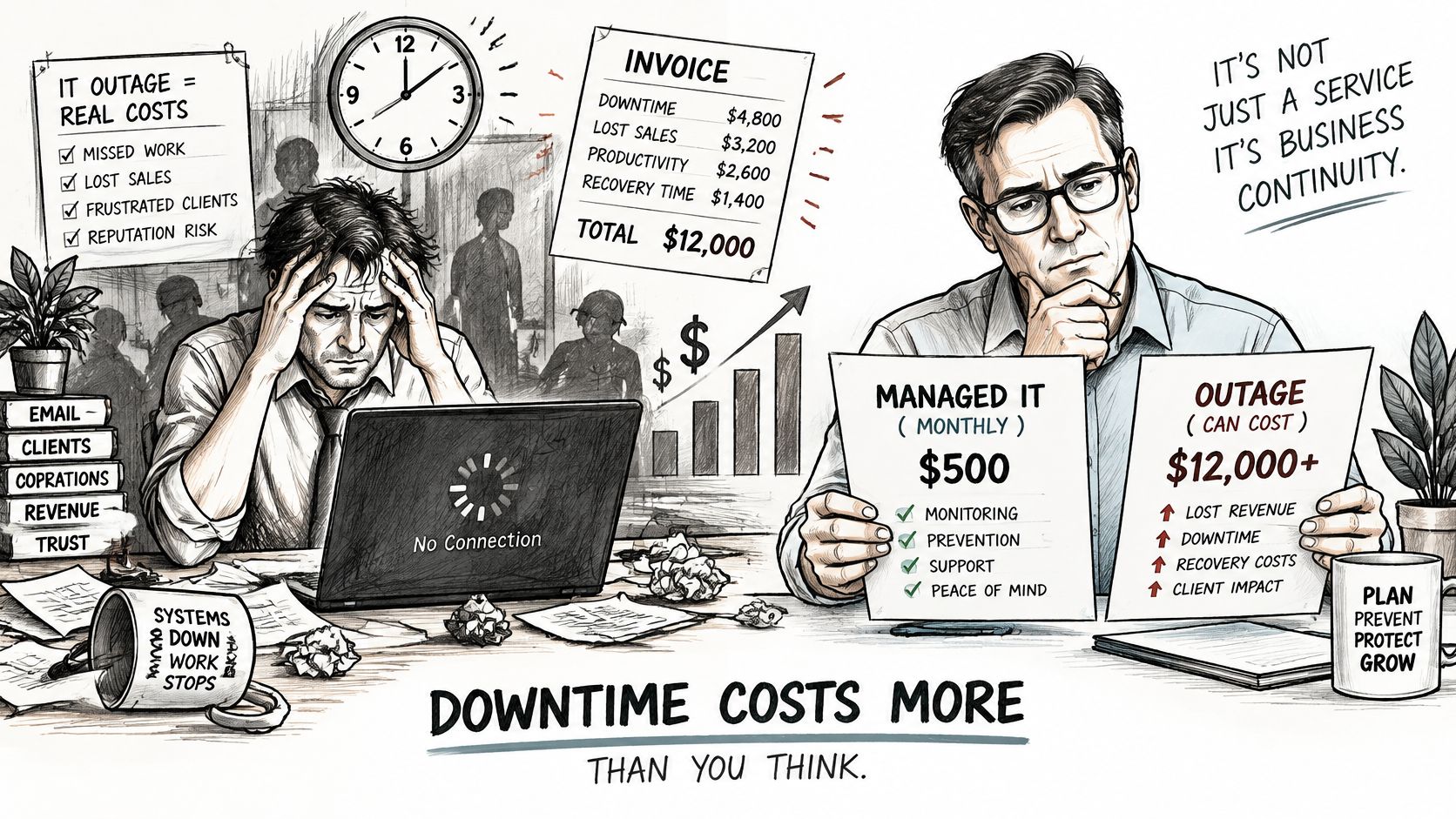
A 2025 survey of 715 SMB organizations found that 37% of respondents said one hour of downtime cost between $1,000 and $5,000. In the same survey, 8% reported losses of $25,001 to more than $100,000 for a security-related outage, according to the 2025 Calyptix-ITIC SMB security survey summary. These are reported losses, not a forecast for any one organization.
Compare:
Annual managed-service fees + likely excluded charges
with
estimated downtime cost per hour × outage hours × expected outages per year
Estimate the organization's own outage costs and recovery time. Then add charges that may sit outside the monthly fee, such as onboarding, migration, hardware, licensing, emergency projects, after-hours response, restoration labor, cloud recovery, and continuity testing. Clear line items make it easier to compare operating expenses, much as recycling cost information for businesses can clarify costs in another industry.
A routine help-desk issue and a security incident have different cost profiles. Security events can add legal, compliance, and reputational consequences to system restoration costs. In a care facility, technology disruption may also affect resident care. A PointClickCare outage checklist can help facility teams prepare for an EHR disruption.
A video can help administrators consider how an outage affects operations and what response an agreement should define.
Ask one practical question: What happens at 2 a.m. on a Saturday, and who is paid to answer? The agreement should specify whether after-hours support is included, how emergency work is billed, and what help is available when remote recovery is insufficient.
Confirm the Scope Before You Sign a Quote
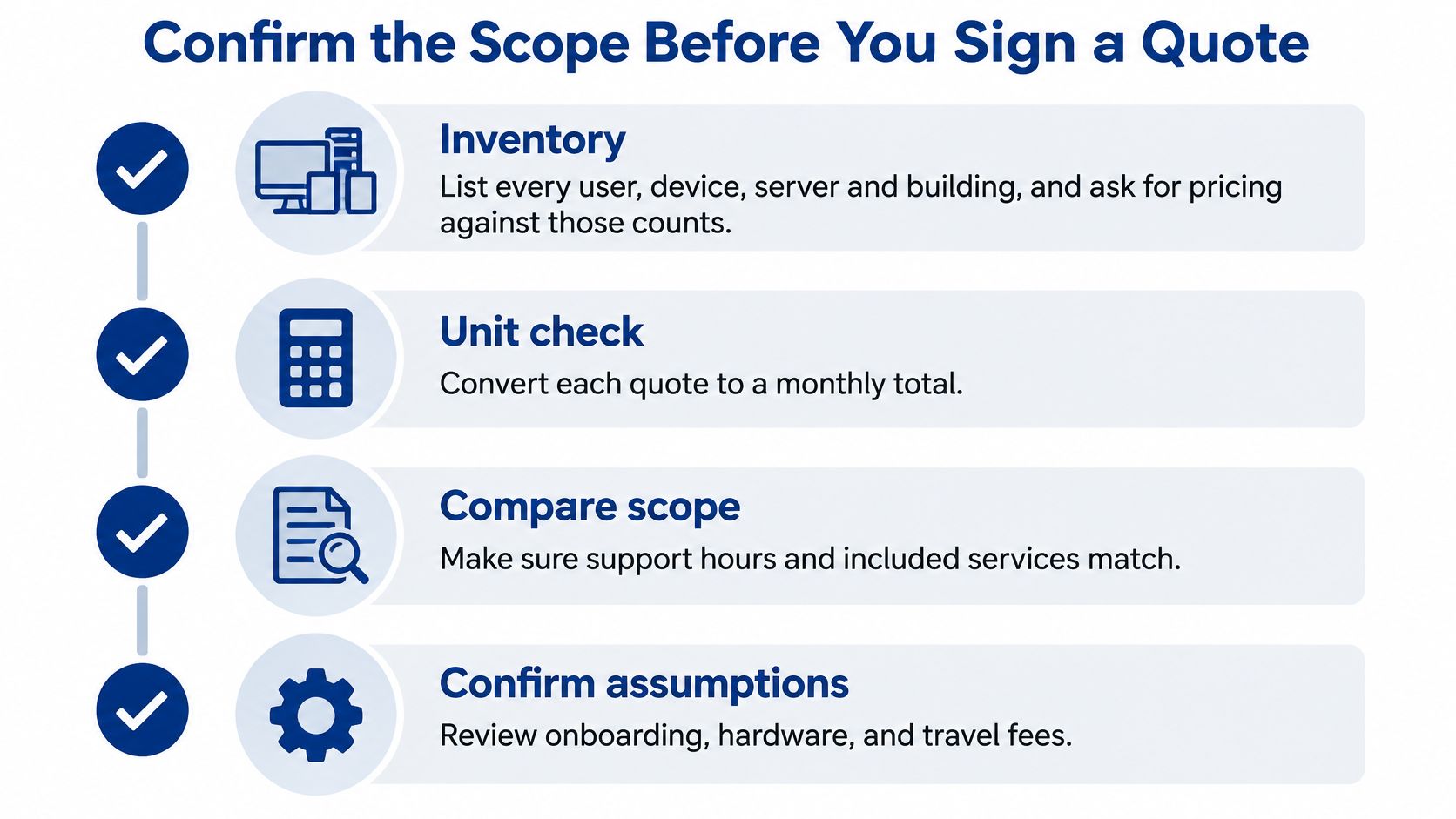
Compare proposals against the same inventory and service boundaries. A monthly fee is meaningful only when you know which users, devices, locations, and tasks it covers.
Inventory users, devices, and buildings. List each user, computer, server, and facility, then ask providers to price against those counts. Missing equipment or locations can become additional charges.
Normalize the unit. Convert each proposal to a monthly total for the organization's headcount. A per-device total and a per-user rate are comparable only when the inventories and billing assumptions are clear.
Define security coverage. Check whether the quote includes patch management, firewalls, content filtering, and other security services. Replace broad labels such as “security” with a list of specific tools and tasks.
Specify backup terms. Ask which systems are covered, whether copies are onsite or offsite, how long they are retained, and whether restoration is tested. A backup fee alone does not establish what recovery support is included.
Confirm response coverage. Ask what support is available after hours, which issues are handled remotely, and when an on-site technician may be needed. Confirm who responds to an urgent request and how that work is billed.
List excluded work. Get charges for onboarding, hardware, licensing, projects, emergency labor, and travel in writing. A low recurring fee may not include the work required to keep systems running.
Clarify compliance responsibilities. Ask who maintains HIPAA documentation and how updates are handled. Assign responsibility for records and remediation tracking between the provider and facility team.
Review exit terms. Check the contract length, notice required before a price change, and process for returning the organization's data. Unclear terms can add cost and effort when changing providers.
Healthcare operators can contact RDE Technologies to discuss their IT needs and request a scoped proposal. For other businesses, RDE Technologies offers a free quote request form to begin an IT assessment. In either case, compare the recurring services, exclusions, and coverage assumptions before weighing monthly prices.
RDE Technologies provides managed services, IT maintenance, security management, backup, and hosting. Its work can cover a client's full system, including network security, data backup, and hosting. A scoped proposal makes it easier to compare the monthly fee with the services and work it excludes.