







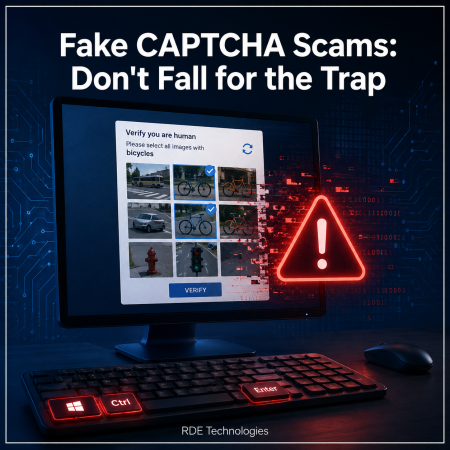
Most internet users are familiar with CAPTCHA tests. These security checks help websites confirm that a real person, not an automated bot, is accessing the site. They typically involve selecting images, identifying objects, or typing a series of characters.
Unfortunately, cybercriminals are now taking advantage of this familiarity by creating convincing fake CAPTCHA prompts designed to infect your device with malware.
How the Scam Works
While browsing the web, you may unexpectedly encounter what appears to be a legitimate CAPTCHA verification page. At first glance, it looks completely normal and asks you to prove you’re human.
However, instead of asking you to identify images or enter text, the page instructs you to perform a series of keyboard commands, such as:
- Press Windows + R
- Press Ctrl + V
- Press Enter
The page may claim these steps are part of a “security verification” process, but they are actually instructing you to run malicious code that has been secretly copied to your clipboard.
By following these instructions, you may unknowingly install malware on your computer.
What Can the Malware Do?
Once installed, the malware can give cybercriminals access to sensitive information stored on your device, including:
- Email account credentials
- Online banking logins
- Saved passwords
- Personal and financial information
- Other confidential data
The malware may also allow attackers to maintain access to your device without your knowledge.
How to Spot a Fake CAPTCHA
A genuine CAPTCHA will never ask you to run commands on your computer or use keyboard shortcuts outside of completing the verification itself.
Be cautious if a CAPTCHA asks you to:
- Open the Windows Run dialog.
- Paste text using Ctrl + V.
- Execute commands on your computer.
- Download or install anything.
If you see any of these requests, close the page immediately.
What to Do If You Think You’ve Been Caught
If you accidentally followed the instructions and suspect malware has been installed:
- Disconnect from the internet to help prevent the malware from communicating with attackers.
- Run a full antivirus or anti-malware scan using trusted security software.
- Update your operating system and applications to ensure you have the latest security patches.
- Change your passwords from a different, trusted device, especially for email, banking, and other important accounts.
- Enable multi-factor authentication (MFA) wherever possible to add an extra layer of protection.
Stay Alert
Cybercriminals are constantly finding new ways to make scams appear legitimate, and fake CAPTCHA pages are a growing example of this trend. If a website asks you to do anything beyond a standard CAPTCHA challenge, stop and think before proceeding.When it comes to cybersecurity, a few seconds of caution can prevent a major compromise.
RDE Technologies recommends keeping your devices updated, using reputable security software, and staying informed about the latest scams to help protect your personal and business information.