
Can your firm prove, this afternoon, that last night's backup restored, and that the paralegal who resigned on Friday lost every bit of access before she walked out?
Most managing partners can't answer either question. Not because their IT is bad, but because nobody has ever shown them the evidence. Firms judge technology the way they judge a car: it starts, it drives, and nobody asks to see the maintenance log until something seizes on the highway.
Managed IT services for law firms should be a set of controls you can inspect and recoveries you can watch being tested. Not a monthly invoice and a friendly voice on the phone. What follows covers what a provider does all day, what belongs in the contract in writing, and where law firms get exposed.
Table of Contents
- What Managed IT Covers for a Law Firm
- Why Law Firms Need Ongoing IT Management and AI Governance
- Security Controls to Require from a Provider
- Backup, Recovery and Incident Response Planning
- What Managed IT Pricing Covers
- Vetting Providers and Booking an IT Assessment
What Managed IT Covers for a Law Firm
Managed IT means a provider takes ongoing responsibility for the firm's technology under a recurring agreement. Break-fix is the opposite arrangement: the firm calls someone once a printer, mailbox or login has already stopped working, and pays for that repair. The calendar tells the two apart. A managed agreement buys work that happens before anyone complains.
Here is the scope a firm should see itemized in writing, not summarized in a brochure.
| Component | What the provider handles | What a firm loses without it |
|---|---|---|
| Help desk and remote support | Ticket intake, troubleshooting and remote fixes, with after-hours escalation | Lawyers wait on staff who have other jobs |
| Device and software management | Laptop and desktop setup, patching and approved installs | Inconsistent machines and missed updates |
| Email and collaboration admin | Mailboxes, calendars, shared drives and user accounts | Slow onboarding and access left open after departures |
| Practice and document system support | Access and performance for case management, billing and document platforms | Downtime on the systems that hold client files |
| Network and Wi-Fi management | Office and remote connectivity, firewall and access settings | Unreliable connections for attorneys working remotely |
| VoIP phone systems | Phone setup, call routing and failover | Missed client calls during outages |
| Hosting and cloud services | Hosted servers, hosted desktops and hosted email | Capacity limits and unmanaged infrastructure |
| Backup and recovery | Managed backup and restoration testing | Matter data lost or unrecoverable after an incident |
| Security monitoring | Monitoring, access control and threat response | Attacks found late or not at all |
| IT assessment and new technology setup | Risk review, planning and rollouts | New tools added without controls |
Three rows cause the most arguments later. Hosting and cloud services is where a provider's data center ends and the firm's own software subscriptions begin, and those are two different line items. Practice and document system support needs a named list of applications, not a promise to support "your software." IT assessment and new technology setup usually covers project work such as a move, a migration or twenty new laptops, and most agreements bill it separately.
Ask how a provider watches a machine, because the answer is usually remote monitoring and management software. Understanding what RMM software does is worth ten minutes before you compare two proposals. RDE Technologies takes the whole-system route, maintaining and servicing a client's network security, data backup and hosting together rather than selling each as its own contract.
The test before you sign: put this table in front of the provider and ask three questions. Which rows sit inside the monthly fee? Which are billed as projects? Which does the firm still own internally?
Most firms discover that project work sits outside the fee, that nobody has claimed responsibility for disabling a departed employee's accounts, and that "we monitor everything" has no report attached to it. Ask the third question twice.
Why Law Firms Need Ongoing IT Management and AI Governance
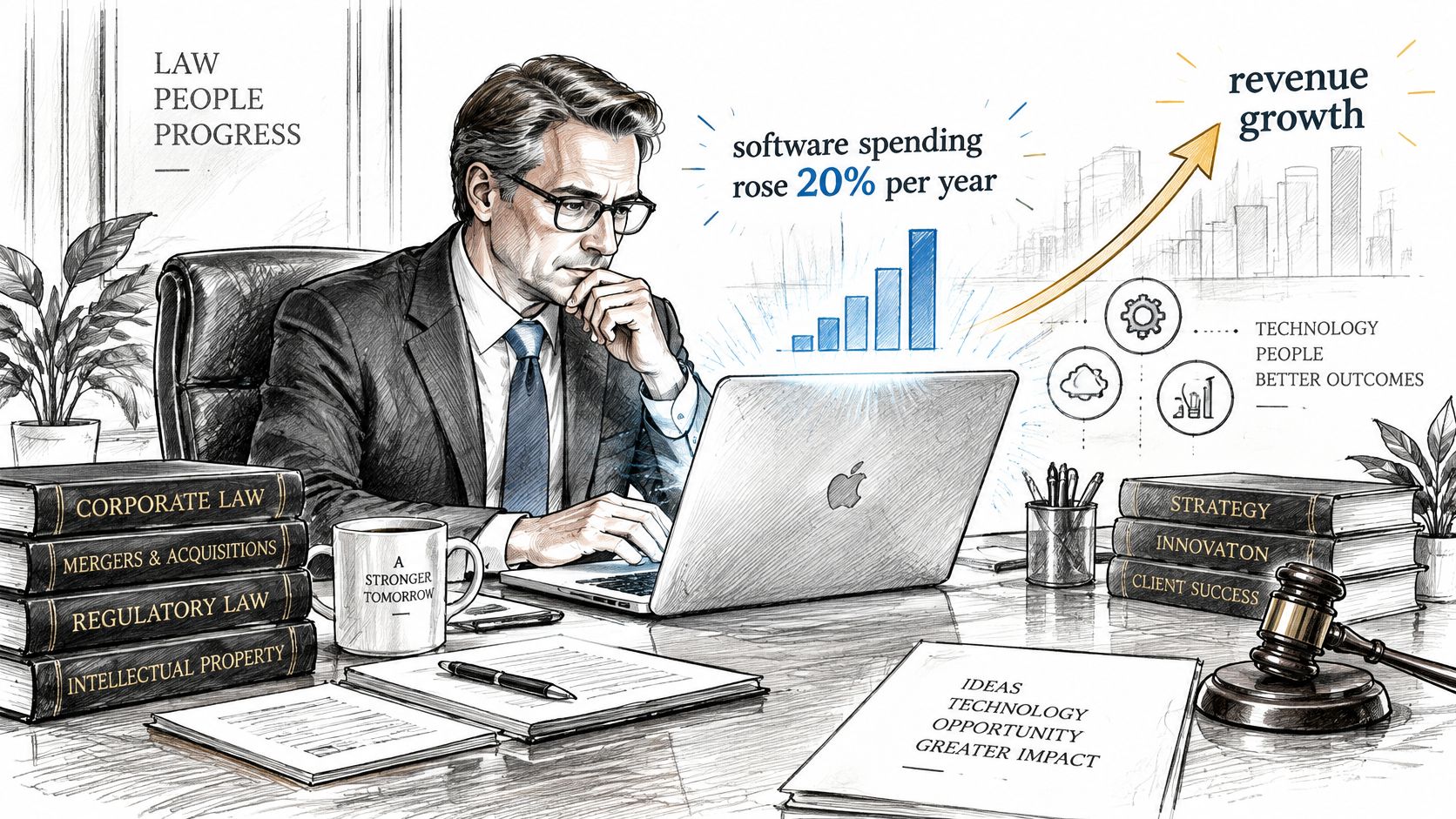
Technology stopped being a line item a firm could eyeball years ago. Clio's 2024 Legal Trends research found that law firms' software spending rose by an average of 20% per year since 2013, while revenue grew about 9% annually, a decade-long gap between what firms buy and what they bill (Clio's 2024 Legal Trends Report). The American Bar Association's 2024 Practice Management TechReport put average annual technology spend at $13,991 per firm (ABA 2024 Practice Management TechReport).
That spending lands on somebody's desk. In a small or mid-sized firm it lands on a partner, an office manager, or the most patient associate, usually in the gaps between client work.
The policy gap behind the spending
The ABA's 2024 Legal Technology Survey Report found that 60% of firms had implemented formal cybersecurity policies (ABA survey on legal tech trends). That's genuine progress and it still leaves roughly 40% of surveyed firms reporting no formal policy at all. The same survey identified phishing and ransomware as continuing major threats, which makes the harder point: a written rule doesn't remove the exposure.
Policies only work when recurring operational work sits underneath them. Software and security updates. Endpoint monitoring. Access control. Multifactor authentication. Backup verification. Incident response. Awareness training. Nobody bills a client for any of that, and in a firm with no IT staff, none of it has a named owner.
Three questions a 15-lawyer firm usually can't answer
Picture a 15-lawyer firm with no IT staff. Three tasks are sitting in the room right now. Who installs Tuesday's security update on fourteen laptops and the server? Who disables the accounts of the paralegal whose last day is Friday, across email, practice management, the document system and the online fax service? Who confirms that last night's backup is complete and restorable?
Each task is small. Each is also nobody's job, which is why it waits until a partner has a free hour, and then waits some more.
A firm doesn't need a large IT department to be well run. It needs every one of those tasks assigned to a person who reports on completion.
AI doesn't shrink the workload, it relocates it
Generative AI added a second wave of the same problem. The ABA's 2025 legal industry reporting found that 80% of surveyed firms were using or exploring generative AI, yet 19% had no formal ChatGPT or generative-AI policy and another 25% were still developing one (The Legal Industry Report 2025).
Every tool in that wave arrives with identity settings, permissions, data retention, vendor oversight, audit logging and backup requirements attached. Firms building out research and drafting workflows often start with the workflow side, and a practical guide to AI for law firms covers those use cases before governance catches up with them.
AI adoption isn't mainly a software-installation problem. It's a data-governance and privilege problem. A firm can run excellent endpoint protection and still expose client confidences the moment an attorney pastes matter facts into an unapproved chatbot or a browser extension nobody vetted.
| Control | What to specify | Who owns it |
|---|---|---|
| Permitted data classes | Which matter types and client data may enter an AI tool | Firm management with ethics counsel |
| Approved tools | Enterprise AI tools configured inside the firm's own tenant | IT provider with firm management |
| Public chatbots and browser extensions | Allowed or blocked by written rule and technical setting | IT provider |
| Human review | Attorney checks AI output before it reaches a court, client or opposing party | Supervising attorneys |
| Logging and audit | Which usage logs are kept, for how long, and who reviews them | IT provider |
| Incident escalation | Steps and contact when client data goes to an unapproved tool | Firm management and IT provider |
| Quarterly access review | Who has AI access, with access removed for departed staff | IT provider |
Three questions should have answers today. Which AI tools are approved by name, and where does the firm's data go when an attorney uses each one? Who reviews usage logs, and how often? Whose job is it to cut off access when someone leaves the firm or moves practice groups? Ethics duties around client confidentiality, competence and supervision turn those into professional questions rather than technical preferences, so confirm the specifics with the firm's ethics counsel and check the rules your state has adopted.
Security Controls to Require from a Provider
A firewall is a component. Security is a control system that keeps running whether or not anyone is watching, and the only honest way to evaluate one is to ask for the record it produces.
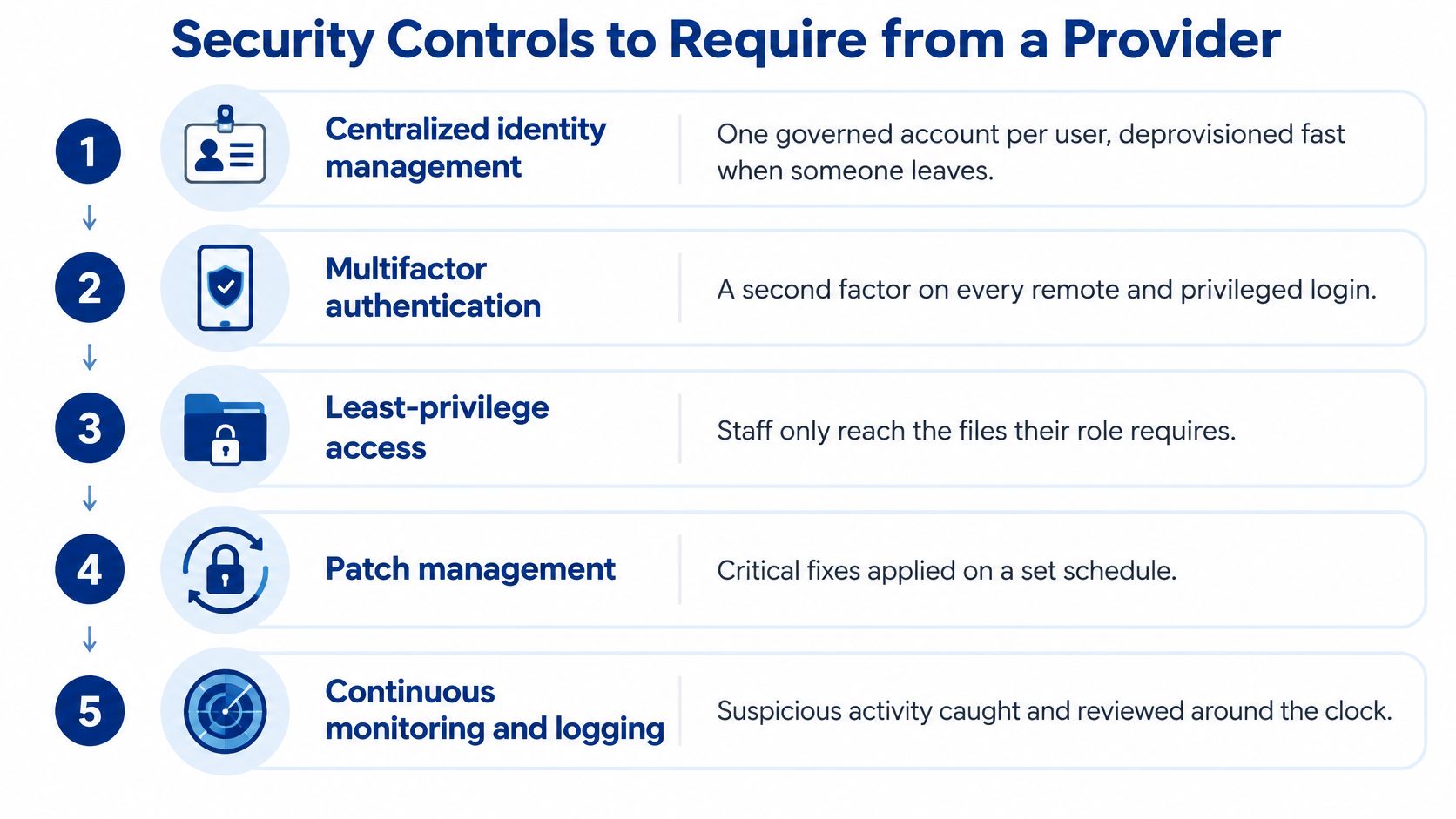
The controls, in the order they stop an attack
- Centralized identity management. One governed account per person, created and retired through a documented process rather than a partner's memory.
- Multifactor authentication. Preferably app-based or phishing-resistant, enforced on every remote and privileged login, not just on email.
- Patch verification by severity. Installing updates isn't the same as confirming critical fixes landed on every device that needed them.
- Endpoint detection on every laptop and server. Coverage gaps are where an intruder lives comfortably for weeks.
- Privileged-access reviews. Administrator rights should be rare, named and re-examined on a schedule.
- Vendor-access logging. Every third party that can reach firm systems should be inventoried.
- Documented offboarding. A written procedure with a completion record, executed the day someone leaves.
Verizon's 2025 Data Breach Investigations Report, which analyzed 22,052 incidents and 12,195 confirmed breaches worldwide, found credential abuse behind 22% of initial access and vulnerability exploitation behind 20%, with third-party involvement doubling to 30% (Verizon 2025 DBIR executive summary).
The chain of failure is practical, not exotic. An unpatched remote-access system or a reused password gives an attacker a foothold. Broad permissions then let them walk into email, document management and billing, where the client files and the trust records live.
Here is the walkthrough most firms never get.
The evidence to demand
Ask for numbers, not adjectives. Patch-compliance percentages broken out by severity. The mean time to disable a compromised account, measured in minutes rather than business days. Endpoint coverage as a count of protected devices against the total. Failed-login anomalies and how they're triaged. Remediation aging, which shows how long issues sit open before someone closes them.
Contracts should also assign security responsibility for the third parties a firm touches: cloud applications, e-discovery platforms and transcription services. That means a supplier inventory, a security questionnaire at onboarding, breach-notification obligations written into the agreement, and an offboarding step that removes a vendor's access when the relationship ends.
If a provider can only tell you that it monitors, ask for last month's report and a walkthrough of one offboarding. Then time how long the walkthrough takes.
Backup, Recovery and Incident Response Planning
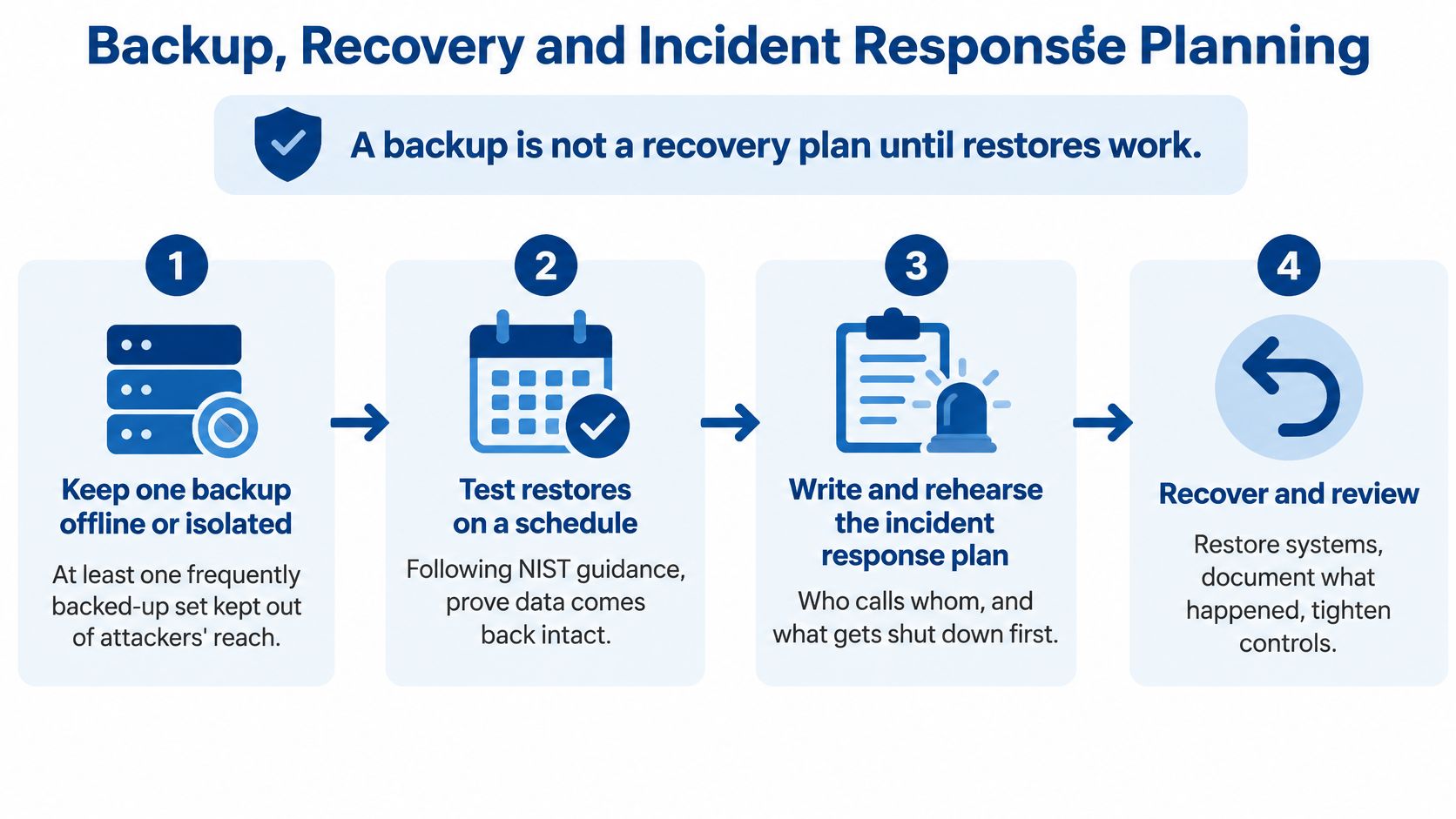
A backup is not a recovery plan until a restore has worked. NIST's Cybersecurity Framework 2.0 recommends regular backups, keeping at least one frequently backed-up set offline or isolated from attackers, testing whether backed-up data can be restored, and verifying the integrity of recovery assets before using them (NIST Cybersecurity Framework 2.0).
Ransomware is the reason this sits in the continuity column rather than the security column. The FBI's Internet Crime Complaint Center recorded more than 3,600 ransomware complaints and losses exceeding $32 million in its 2025 report (FBI IC3 2025 Internet Crime Report). Those are complaints and reported losses rather than total economic impact, and they still describe an operational problem: an encrypted document system halts litigation and billing whether or not a ransom is ever discussed.
Set the restoration order before you need it
One number for "recovery time" across the whole firm is a fiction. Write a target for each system, and define what the plan must specify for it.
| System | Why it matters in an outage | What the plan must define |
|---|---|---|
| Email and calendars | Client communication and deadline tracking | Restore order and mailbox recovery steps |
| Document management | Access to case files, drafts and version history | Restore priority and version recovery |
| Practice management and billing | Matter records, time entries and invoices | Database restore and integrity check before use |
| VoIP phones | Client calls and intake lines | Failover routing and who makes the switch |
| Remote access | Attorneys working from home or on the road | How access is restored when the office network is down |
| Matter-specific applications | E-discovery and transcription work on active litigation | Vendor responsibility and escalation contacts |
Restoration order is only half of it. The schedule itself needs testing discipline, and the basics of planning a backup schedule for your data are worth settling long before an incident.
Five steps during an incident
- Name the authority. One or two people who can authorize isolating or shutting down a system, reachable after hours.
- Define escalation. Who is called first, who is called at 2am, and how the provider reaches firm management.
- Preserve evidence before cleanup. Logs and metadata get overwritten by well-meaning repairs, and they're what an investigation needs.
- Decide communications in advance. Who speaks to affected clients, the insurer, outside counsel and law enforcement where required.
- Document the recovery and the lessons. What was restored, in what order, how long it took, and what changes as a result.
A plain-language walkthrough of incident response best practices is worth reading with the firm's insurer in mind, because renewal questionnaires now ask for exactly this detail.
If the document system were encrypted this morning, could someone open the last verified copy of an active matter file today?
What Managed IT Pricing Covers
Two managed IT proposals can carry similar monthly numbers and cover entirely different work. Comparing them means comparing scope, not headline price.
Most pricing falls into one of three shapes. A per-user monthly fee charges for each attorney and staff member. A per-device fee charges by laptop, desktop and server. A flat monthly fee covers a defined set of services for the whole firm. Each one has a different effect as the firm grows or shrinks, which matters more than the rate itself.
Cost drivers are predictable. Headcount across attorneys and staff. The number of offices and remote users. Hosted servers and cloud subscriptions. Phone lines and the calling setup. The number of practice-management, document and billing systems the provider has agreed to support, since each one carries its own vendor relationship and login path.
What sits outside the base fee is where proposals separate. Hardware purchases. Network cabling. Wireless installation. New technology setup and project work such as migrations and office moves. None of these are unreasonable to bill separately, but a firm should see them named rather than discover them.
Five questions that make proposals comparable
- Which components from the scope table sit inside the base fee, and which are quoted separately?
- Are third-party software subscriptions passed through at cost, or marked up?
- How are security monitoring and backup testing priced, and are restore tests included?
- What is the fee to add or remove a user mid-term, including a departure?
- How does the contract handle termination, and how does the firm get its data and admin credentials back?
A low monthly rate with a long list of exclusions often costs more than a fuller scope. Compare the total, then compare the evidence attached to each line.
A useful benchmark for how these structures differ is this explanation of how much managed IT services cost and what typically moves the number. Get written quotes for identical scope before judging any of them.
Vetting Providers and Booking an IT Assessment
A provider's proposal is only useful if the firm can verify what happens in practice. Ask for records, named responsibilities and a written scope, then compare the answers.
| Criterion | What good looks like | Red flag |
|---|---|---|
| Incident authority | A named person can isolate systems during an incident | Escalation described only as “we will handle it” |
| Security reporting | Monthly reports with metrics for each control | Only the claim that the provider monitors |
| Support hours | Written coverage hours and a clear after-hours escalation path | Business-hours support only, with no after-hours plan |
| Restore testing | Documented restore tests on a set schedule | Backups described as working without any test record |
| Third-party terms | Contracts cover cloud apps, e-discovery and breach notification | Contract silent on vendors and notification duties |
| Onsite and remote coverage | Field technicians and remote support both available | Remote only, with no path for hardware problems |
| Transition | Assessment and written scope before taking over | Immediate handoff with no review of current systems |
NIST's small-business guidance describes what an incident-response plan should contain: assigned authority and responsibility, assessment of severity and root cause, containment and eradication, communication with stakeholders as required by law or contract, documentation of response and recovery actions, and a check on backed-up data integrity before restoration (NIST Cybersecurity Framework 2.0 small business guidance).
Use those elements as an interview script. Ask who can authorize isolation, how escalation reaches firm management, what evidence is retained after cleanup, which systems return first, and how the response is documented. Specific answers are easier to assess than general assurances.
What to ask in the first meeting
Request a sample monthly security report and inspect what it measures. Ask for a restore-test record, not just confirmation that backups run. Clarify what happens when a call comes in after hours, including who receives it and how the firm can escalate an urgent issue. For firms with several offices or remote attorneys, ask how the provider keeps standards consistent across devices, networks and cloud applications, and how it reports issues by location.
Preparing for an IT assessment
- List your systems using the recovery table, so you know what has to come back first.
- Score your current setup against the criteria above.
- Request evidence for each control, such as a recent report, a restore-test record and an offboarding walkthrough.
- Confirm professional-conduct and technology duties with the firm's ethics counsel, including how an outside provider is supervised.
- Book the assessment before signing a contract.
A useful assessment examines risk, data storage, server and network infrastructure, cloud services, business applications, business continuity and network security. It can also review opportunities to reduce costs. Ask for a written scope that maps to the component table, so proposals can be compared line by line.
RDE Technologies serves businesses throughout New York and the Tri-state area, providing on-site services in New York and remote support to companies beyond the state. One client has noted 24-hour, seven-days-a-week support. Certified engineers stay in contact with clients throughout a project. An assessment is a practical first step: it identifies areas to address before the firm commits to a provider.
An IT assessment from RDE Technologies covers risk, data storage, server and network infrastructure, cloud services, business applications, business continuity and network security. The written scope gives a managing partner a concrete basis for comparing proposals. Visit RDE Technologies to request an assessment.