
The overnight nurse needs a resident's medication history, but the electronic health record won't load. The phone system is also down, and nobody on shift knows whether the backup can be restored or who has authority to switch to downtime procedures. In that moment, IT support isn't just about fixing a computer. It's about helping the facility keep care moving safely.
Healthcare IT support keeps the computers, networks, phones, and records systems of a care organization working while protecting electronic protected health information, or ePHI. For nursing homes and other long-term care providers, the practical test is whether staff can continue essential work when a system fails, and whether the organization can show how it protects the information it holds.
Table of Contents
- What Healthcare IT Support Covers Beyond Repairs
- Support Areas and What Each One Protects
- How to Build a Downtime and Recovery Plan
- Security Controls and Incident Response for Patient Data
- Running a HIPAA Risk Analysis Step by Step
- What Long-Term Care Operators Need Beyond Standard IT
- Choosing Between In-House and Outsourced Support
- Book a Free HIPAA Risk Assessment Before You Choose Support
What Healthcare IT Support Covers Beyond Repairs
A facility's network is a little like its power supply. Staff may not think about it while everything works, but when it fails, access to records, phones, and other daily tools can stop across the building.
HIPAA provides the regulatory foundation for protecting ePHI. The U.S. Department of Health and Human Services issued the final HIPAA Security Rule on February 20, 2003. It established safeguards to protect the confidentiality, integrity, and availability of ePHI. HHS describes these requirements in its overview of the HIPAA Security Rule.
In practice, those three aims have direct operational meaning. Confidentiality means that only authorized people can see records. Integrity means information stays accurate and isn't changed improperly. Availability means staff can reach the information they need to support care. A misconfigured account can expose records; an unpatched server can create security risk; a failed backup can make recovery harder.
Support is a repeatable operating process
The Security Rule's safeguards involve more than technical repairs. Organizations need dependable processes for access controls, secure system configurations, monitoring, incident response, backup, and recovery. A one-time fix won't keep those controls current as staff, devices, vendors, and workflows change.
HIPAA applies to covered entities, including nursing homes, assisted living operators, home-care agencies, and health plans. It also applies to business associates, such as outside IT firms that handle ePHI on a covered entity's behalf. Specific obligations should be confirmed with the organization's compliance officer or counsel.
This matters to nursing homes, assisted living communities, home-care providers, multi-site operators, and law firms handling health information. In each setting, infrastructure decisions can affect both privacy and daily operations.
Provider test: Can the IT provider help keep care running during an outage, and can it document the safeguards it uses?
Support Areas and What Each One Protects
Healthcare IT support covers several connected areas. The table shows what each one typically handles and the operational risk it helps protect against.
| Support Area | What It Covers | What It Protects |
|---|---|---|
| EHR and clinical system access | Accounts, workstation setup, secure remote access, vendor logins | Resident records and medication workflows |
| Network, Wi-Fi and nurse call | Wireless design, cabling, switch repair, network monitoring | Clinical communication and resident connectivity |
| Phones and VoIP | Phone systems and failover planning | Calls with families, physicians, and emergency services |
| Backup and recovery | Onsite and offsite copies, restore testing | Records, system configurations, and the ability to restore |
| Security management | Firewalls, managed antivirus, patch management, content filtering | Systems against unauthorized access and ransomware |
| Help desk and remote support | Phone, chat, and remote troubleshooting, including after-hours coverage | Staff time and daily care tasks |
| IT assessments | Review of risk, network, backup, and business continuity | Gaps found before an audit or an outage |
Assign an owner to every area
For each row, name the person or provider responsible for keeping it working. That owner might be an internal IT lead, a department manager, or an external support team, but the responsibility needs to be clear.
Then ask three practical questions: Who owns this system? How will a problem be detected? What happens to care if it stops for a day? If no one can answer the ownership question, treat that area as unprotected until responsibility is assigned.
For example, a facility might name an internal administrator as the owner of its EHR relationship while assigning network monitoring and workstation maintenance to its IT provider. The arrangement can differ. What matters is that staff know whom to contact and that the provider's written scope covers the systems the facility relies on.
How to Build a Downtime and Recovery Plan
A backup dashboard may say that copying completed successfully. That doesn't prove the organization can restore the system, sign in, reconnect its dependencies, and make the result usable for staff. NIST's HIPAA guidance recommends documented backup responsibilities, reviewed logs, restoration tests, and at least one offline copy. It also recommends including operating-system images, device configurations, software, and other components needed to restore systems, not just patient records. See the NIST HIPAA Security Rule resource guide.
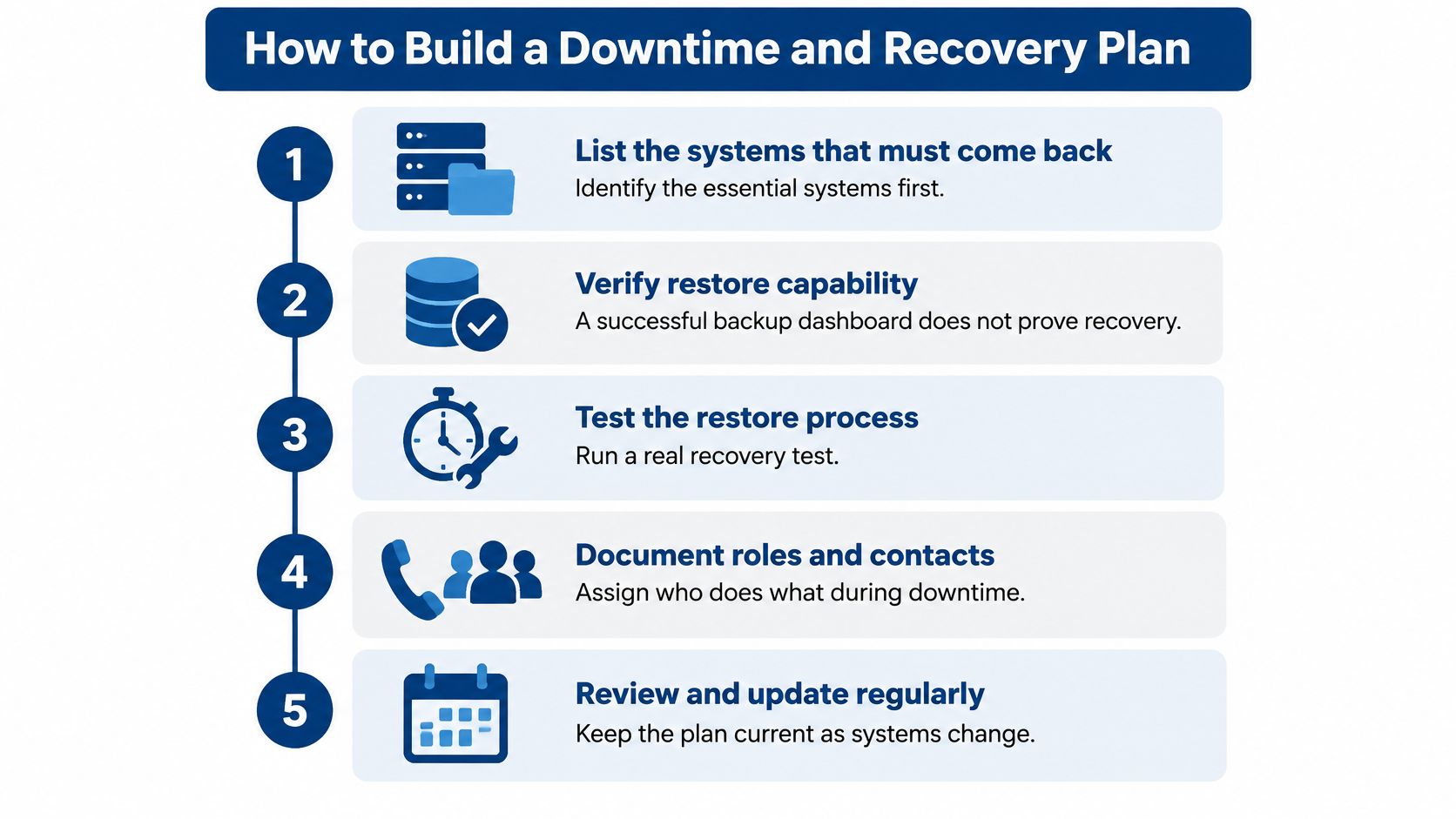
A facility can build a workable plan in these steps:
List the systems that must come back first. Include the EHR, medication administration, admissions, phones, and network authentication. The list helps the team decide what to restore first when it can't bring everything back at once.
Map the dependencies. Record which applications need particular servers, network connections, vendor services, or user accounts. A system can have a valid backup and still fail if the required application or login dependency is missing.
Set recovery targets. Define a recovery time objective, or RTO, for each system: how long staff can operate without it before its absence becomes unacceptable. Set a recovery point objective for data as well, so leaders know how much recent information could be lost.
Keep a protected copy outside the normal network. Use an offline or immutable backup copy and include the system components needed for restoration. Copies that remain accessible through the same compromised network may be exposed to the same ransomware event.
Write usable downtime procedures. Document paper workflows or backup systems, who can declare downtime, how staff access the procedures, and who decides that recovery is complete. Staff need steps they can follow without relying on the unavailable system.
Test a real restoration. Restore a representative system and record how long the process takes. Testing can uncover unusable credentials, missing application dependencies, incompatible software versions, corrupted databases, or insufficient network capacity.
Revise the plan after exercises or incidents. Assign an owner to each change and update contact details, system dependencies, and staff instructions when they change. A stale plan can be as hard to use as no plan.
A restore test passes when the system returns within its target, staff can log in and use it, and the manual workflow is clear enough to follow without guessing. For an EHR outage, facilities can also use a PointClickCare downtime and EHR outage checklist to support planning.
Security Controls and Incident Response for Patient Data
Start with account security. HHS identifies multifactor authentication (MFA) for internet-accessible assets, email, and remote access as a high-impact safeguard. MFA requires an additional verification factor, so a stolen password alone isn't enough to take over an account. Prioritize administrator accounts, remote-support tools, VPNs, cloud email, EHR access, and vendor logins, as described in the HHS healthcare cybersecurity performance goals.
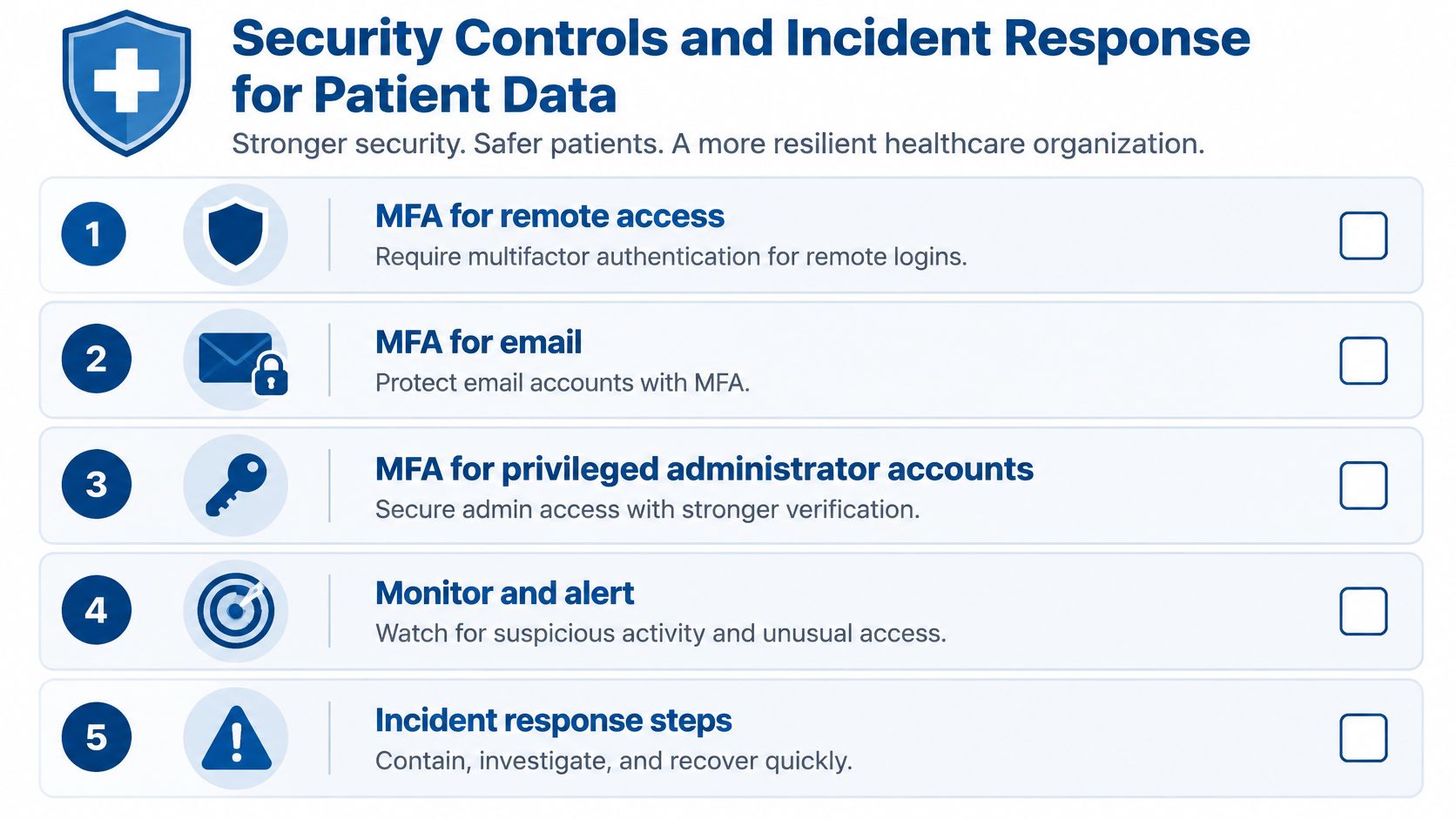
Use role-based access so staff can reach only the systems and records needed for their work. When an employee leaves, remove access promptly, including remote access and vendor-related permissions if applicable. Centralized logs and alerts can help staff spot repeated login failures, unfamiliar email forwarding rules, privilege changes, unusual access to patient records, and logins from unexpected locations.
Prepare for the whole incident
HHS incident-response guidance describes a lifecycle that runs from preparation through detection and analysis, containment, eradication and recovery, and post-incident activity. A written playbook should name who makes decisions, who contacts outside parties, and how staff receive updates.
Planning matters because outages can disrupt care, not just computer access. AHRQ identifies delayed care, increased medical error, and communication disruption as risks of EHR downtime. In its review of 80,381 patient-safety reports, it identified 76 downtime-related incidents.
For administrators looking to strengthen practical safeguards, a clear overview of preventing healthcare data breaches can help frame the controls to review. RDE Technologies also offers information on protecting patient data while supporting health informatics.
An IT provider should be able to support tested downtime procedures, escalation contacts, and recovery playbooks, not just remove malware after an incident.
Running a HIPAA Risk Analysis Step by Step
The HIPAA Security Rule requires an accurate and thorough assessment of risks and vulnerabilities to all ePHI an organization creates, receives, maintains, or transmits. HHS describes risk analysis as the first step in selecting appropriate safeguards. The HHS risk analysis guidance gives administrators a basis for working through the task with their IT lead.
Define the scope. List the systems and locations that handle ePHI, including the EHR, clinical and payroll systems, servers, workstations, mobile devices, remote access, and connections between buildings. The administrator and IT lead should agree on what is included.
Gather system information. Collect inventories of applications, devices, user accounts, vendors, and backups. Assign someone to verify that the records match what the facility uses.
Identify threats and vulnerabilities. Document possible points of failure, such as excessive account access, unsupported equipment, exposed remote connections, missing updates, or untested backups. The IT lead can document the technical findings, with operational staff identifying workflow risks.
Estimate likelihood and impact. Consider how likely each threat is and what it could mean for ePHI, care, and operations. Record who reviewed the assessment and how the estimate was reached.
Set risk levels and select safeguards. Prioritize the issues that need attention, document the selected measures, and name an owner and follow-up date for each one.
A multi-building operator must include each facility and the shared services connecting them. One building's controls can't stand in for another's. For organizations handling health information by fax, guidance on secure faxing rules for healthcare can help identify workflow questions to bring to the compliance team.
Risk analysis requirements can depend on the organization and its circumstances. Administrators should confirm the scope and conclusions with their compliance officer or counsel.
What Long-Term Care Operators Need Beyond Standard IT
An overnight nurse can't reach help, the EHR is unavailable, and a phone line won't connect to the on-call clinician. In a long-term care facility, that's a continuity issue with direct implications for resident care. The plan needs to account for the systems and people staff depend on during each shift.
Plan around the facility's real systems
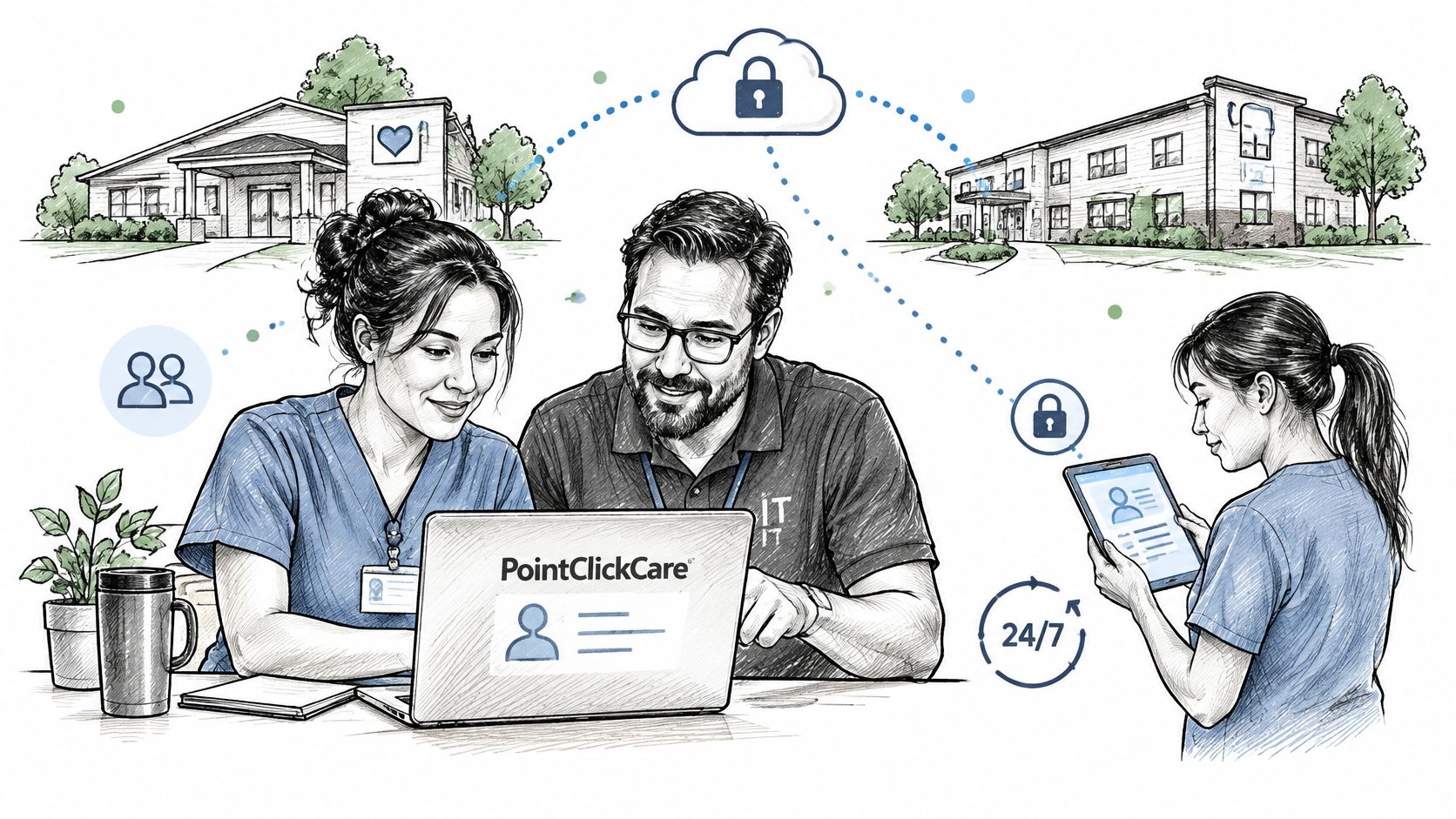
Staff may need access to PointClickCare or another EHR from different workstations, shifts, or buildings. The facility should know how staff will reach the system, who can reset access, and what they'll do if the EHR or the connection to it is unavailable.
Nurse call and resident Wi-Fi also need attention as part of the facility's broader network planning. If the network is congested or a switch fails, services that share it can be affected. A facility can review its nurse-call system considerations alongside its connectivity and outage planning.
Phones connect nurses with families, physicians, emergency services, and other facilities. Include phone failover in continuity discussions, and identify alternate ways to communicate during power or connectivity loss.
Connect IT planning to emergency preparedness
Nursing homes must maintain an emergency preparedness plan reviewed and updated at least annually. Federal requirements include a facility- and community-based all-hazards risk assessment, a continuity-of-operations and succession plan, policies and procedures based on identified risks, and training and testing programs that include updated training at least annually. The HHS Office of Inspector General review of nursing home emergency preparedness describes these requirements and related planning elements.
For IT operations, the plan should account for system failure, loss of connectivity, vendors who can't be reached, and power interruptions. It should also identify alternate methods for accessing resident and operational information. Staff need to know who can activate those procedures and how they'll get current instructions.
For multi-building operators, document dependencies at the facility level. Separate centralized services from local systems so that a failure in one location doesn't obscure what's happening elsewhere. Night and weekend coverage matters too. If a staff member on a night shift can't reach technical help, the facility has a gap in its continuity plan.
Confirm the details of CMS and state emergency preparedness requirements with the facility's compliance officer or counsel. They can assess how the requirements apply to the facility and its current plan.
Choosing Between In-House and Outsourced Support
In-house staff bring on-site familiarity and knowledge of the facility's routines. Outsourced support can provide broader technical coverage and centralized monitoring. A hybrid arrangement combines internal knowledge with external support for gaps in coverage or specialized work.
| Factor | In-house IT Staff | Outsourced Support | Hybrid |
|---|---|---|---|
| After-hours coverage | Depends on an on-call rota | Provider help desk available around the clock | Staff by day, provider overnight and on weekends |
| HIPAA documentation | Usually handled by the administrator | Provider documents its safeguards under contract | Shared, with a clear owner for each control |
| Multi-building oversight | Hard to cover several sites with few staff | Central monitoring and reporting by facility | Central provider, local staff for hands-on work |
| Specialist skills | Limited to the skills of hired staff | Access to a wider team of engineers | Defined by the contract and staff capabilities |
| Cost predictability | Salaries, training, turnover, and tools | Contract with a defined scope | Depends on how the scope is split |
Compare written coverage, not general promises
Before choosing a model, ask providers to answer these questions in writing:
- Coverage: Is help available around the clock, and how do staff reach it?
- On-site work: Who responds at the facility, and how quickly can they get there?
- HIPAA responsibilities: Will the provider sign a business associate agreement, and which safeguards does it document?
- Recovery testing: Does the provider run restore tests and provide the results?
- Multi-site reporting: Can the provider report by facility?
- System scope: Are phones, nurse call, Wi-Fi, EHR access, and network services included?
A business associate agreement is a signed contract under which an IT provider accepts HIPAA obligations for the ePHI it handles. The organization should review the terms with counsel before signing.
Many care providers choose a hybrid model. Internal staff handle day-to-day requests and local coordination, while an external provider supports nights, weekends, system monitoring, and recovery testing. The right arrangement depends on the facility's actual needs and the responsibilities assigned to each party.
Don't accept a vague promise of “full support.” Get the covered systems, hours, escalation path, documentation, and restore-testing responsibilities in writing. Then check the proposed scope against the support areas that matter to the facility.
Book a Free HIPAA Risk Assessment Before You Choose Support
A risk assessment gives administrators a clearer basis for comparing support options. It can identify gaps in systems, backup, security, and continuity before a facility decides whether to expand internal staffing, outsource specific work, or use a hybrid model.
RDE Technologies offers skilled nursing facilities a free HIPAA security risk assessment covering every building. The assessment is delivered in a one-hour remote session, followed by a written report within 5 days. Multi-facility operators receive reporting by facility. RDE Technologies also provides IT assessments covering risk, network infrastructure, data storage, and business continuity.
Before the session, gather:
- A system list, including the EHR, phones, and nurse call.
- Backup logs and the date of the most recent restore test.
- Vendor accounts with remote access.
- The emergency preparedness plan and its last review date.
- System owners' names, including the people responsible for clinical systems and infrastructure.
RDE Technologies' help desk is staffed 24/7, and it supports facilities nationwide through on-site and remote support. That gives administrators a practical starting point for discussing coverage alongside each building's systems and recovery needs.
The risk assessment can help frame the questions, but regulatory decisions still need review by the facility's compliance officer or counsel. Start with the free HIPAA security risk assessment for nursing homes and the skilled nursing IT services overview.
RDE Technologies provides managed IT and maintenance, a 24/7 help desk, remote support, field technicians, network management, IT security, data backup, VoIP phone systems, wireless installation, network cabling, and IT assessments for care organizations. To discuss a facility's systems, continuity needs, or support coverage, visit RDE Technologies.