
Three weeks before a state survey, the administrator of a 120-bed nursing home asks a simple question: who tested the last backup? The internal IT coordinator says the outside provider runs the backups. The provider says restore testing sits on the facility's checklist. Both answers are reasonable. Neither one is a name.
That gap, not pricing or tooling, is what breaks most co-managed arrangements. The model itself holds up well. What fails is the assumption that responsibility can be shared without being assigned, because two teams reading the same line of a contract will each assume the other is checking.
The fix is unglamorous. Split the work task by task, write down one owner per task, and make the provider prove results in writing. What follows is the split, the questions to ask before signing, and where it lands in a long-term care building.
Table of Contents
- What Co-Managed IT Services Are
- Who Handles Each Task in Three Models
- Choosing the Right Split for Your Organization
- Assigning Ownership So Nothing Falls Through
- Security, Access and Backup Boundaries
- Co-Managed IT for Skilled Nursing and Long-Term Care
- Confirm the Split Before You Sign
What Co-Managed IT Services Are
A restaurant owner keeps the head chef, the menu and the regulars' standing orders in house, then brings in an outside crew for prep, deep cleaning and the night shift. The kitchen stays theirs. The volume gets covered by people who do that one job every week.
Co-managed IT runs the same way. In one sentence, co-managed IT services are a partnership in which an internal IT team keeps ownership of business applications, users and priorities while an external provider takes defined operational work such as help desk, security operations, monitoring or cloud infrastructure. The scope is written down, priced and reviewed. It isn't outsourcing with a friendlier name.

Typical handoffs cover tier-1 and tier-2 help desk, cybersecurity, cloud infrastructure, monitoring and specialist projects like a network buildout or an EHR migration. Internal staff keep the work that needs context: which clinical system drives the census, which document management rules a law firm can't move, which new hire needs access on day one.
The model is a purchasing pattern, not a theory. A Datto and Strategy Analytics survey of more than 1,100 U.S. small and medium-sized businesses found that roughly 30% outsourced at least part of their IT environment, and the report separates co-management from both internal-only and fully outsourced IT, describing it as a structure that preserves in-house capability while adding outside capacity. It also names tier-1 and tier-2 help desks, cybersecurity and cloud infrastructure as the common co-managed service areas.
For background on how the wider managed services industry structures these engagements, this overview of outsourced IT support and managed services is a reasonable primer. Whether the model fits your organization comes down to two lists: what your team does well today, and where it is visibly stretched.
Who Handles Each Task in Three Models
The decision gets easier when you stop comparing models and start comparing rows. Below is the recurring work in most IT environments, and who performs it under each arrangement.
| Task | In-House Only | Co-Managed | Fully Outsourced |
|---|---|---|---|
| Daily help desk for users | Internal staff | Provider handles tier 1 and tier 2; internal staff handle business escalations | Provider |
| After-hours incidents | Internal staff, often on call | Provider monitors and responds around the clock; internal staff approve major changes | Provider |
| Patching and updates | Internal staff | Provider runs the patch process; internal staff approve maintenance windows | Provider |
| Backup and restore testing | Internal staff | Provider runs and tests restores; facility confirms which datasets are critical | Provider, with reporting under contract |
| Security monitoring and response | Internal staff, limited hours | Provider monitors and triages; internal staff own access decisions | Provider |
| Cloud and network changes | Internal staff | Provider executes under an approved change plan | Provider |
| Business applications and user priorities | Internal staff | Internal staff decide; provider supports | Shared, with client input required |
| Vendor and software management | Internal staff | Internal staff, with provider input | Provider, with client sign-off |
Every row in the middle column still carries one name.
The provider executes the work. The internal team holds the decisions that carry business context: access approvals, maintenance windows, clinical priorities and vendor commitments stay with the people who know the operation. Under full outsourcing the provider owns nearly every row and the client keeps contract oversight plus budget approval. Co-management merges two columns into a single row, which is exactly why each task needs a written owner instead of a shared label.
Two rows show how this works in practice. On patching, the provider proposes a cadence and a maintenance window, the internal lead approves it because a Friday night reboot affects med pass at a nursing home, and the provider then reports the machines that failed. On backup and restore testing, the provider schedules a real restore, the facility confirms which datasets are clinically critical, and the provider delivers a report showing what was restored and how long it took.
Practical rule: if two names sit next to one task, the task has no owner. "Shared" describes how work splits across the whole table, never who answers for a single row. That row goes back until a single name is on it.
Dividing the work is a governance choice. Leadership decides who owns each function before anyone configures a tool, and operations teams in other fields weigh the same trade-off when choosing an AI operating model for manufacturing: the model performs only as well as the ownership assigned beneath it. The platform that produces the evidence for the patching and monitoring rows is usually remote monitoring and management software, and what RMM software does explains the reporting side without the vendor pitch.
Copy the table into a document, mark the column that matches how each row is handled today, and write one accountable name beside every row. The rows where no name comes to mind are the rows to settle first.
Choosing the Right Split for Your Organization
A four-step method before you name any owners
- Inventory the work your team touches now. Use the rows from the table above and add anything local, such as a nurse call integration, a label printer server or a specialty billing application.
- Mark the knowledge-heavy tasks. Application workflows, user priorities, facility-specific rules and anything that depends on memory of how a system was built. These stay internal in almost every good arrangement.
- Score the rest by risk. Weigh regulatory exposure, after-hours impact and the specialist skill required. Skill scarcity is real: ISC2's 2024 Cybersecurity Workforce Study found that 90% of surveyed organizations reported skills gaps, with an estimated global workforce gap of about 4.8 million professionals.
- Move the high-risk, high-skill tasks out and keep the knowledge-heavy tasks in. The point is to buy capability you can't hire, not to buy a ticket queue.
| Organization | Usually Keeps Internal | Usually Hands to Provider | Watch Closely |
|---|---|---|---|
| Single-site practice with one IT generalist | Business applications, user priorities, vendor contacts | Help desk, patching, backup, security monitoring | Coverage outside office hours |
| Multi-building nursing home or assisted living operator | Clinical application ownership, access approvals, facility priorities | Centralized monitoring, backup testing, network security, escalation | Consistent reporting by facility |
| Law firm with a part-time IT manager | Document system rules, client-data access approvals | Patching, backup, endpoint security, help desk | Remote access controls |
| Growing SMB with internal IT staff | Business applications, project priorities | Cloud operations, security operations, specialist projects | Skills gaps in incident response |
"Now that we use RDE, they take care of everything for me. It has taken a tremendous burden off of our internal staff and has made all our tech needs run a lot smoother.", Pinny Faska, Chief Operating Officer, Rockaway Home Care
The test isn't whether a provider answers tickets quickly. It's whether the provider takes ownership of named tasks and hands back written results: restore reports, patch exceptions, alert volumes against service targets. A provider that only closes tickets leaves the hardest work, and the accountability, exactly where it was.
Assigning Ownership So Nothing Falls Through
Shared responsibility without a named owner produces the same three symptoms every time: delays while each side waits for the other, duplicate tools bought twice, and finger-pointing during an outage. The market has moved toward co-management faster than most contracts have moved toward clarity. One 2025 Datto State of the MSP report found that 83% of 1,262 MSPs surveyed worldwide offered co-managed services, and the share of MSPs planning to co-manage customer environments rose 17 percentage points year over year, while the same report warns that unclear guidelines create friction and redundant work.
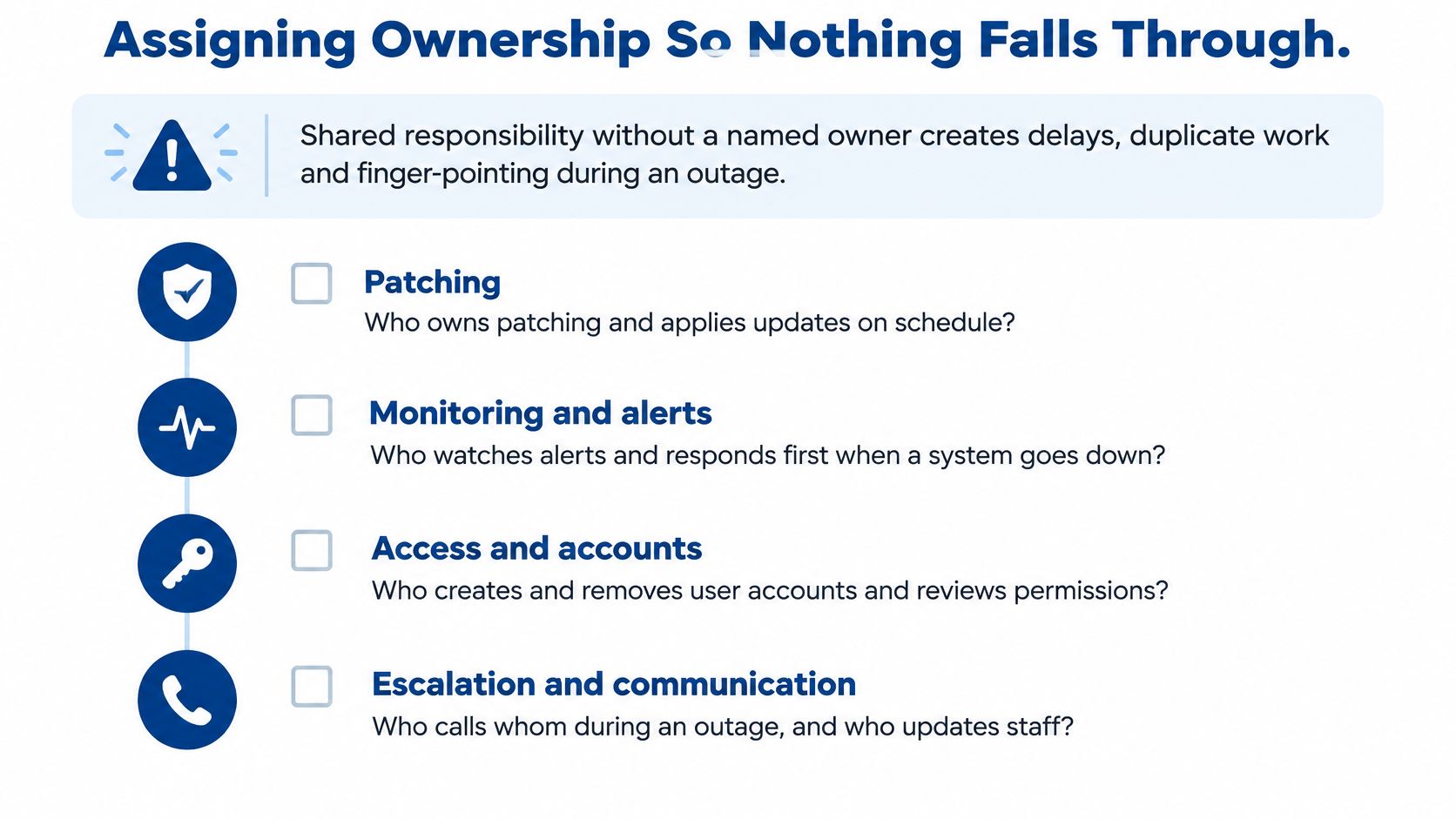
Four questions settle before the contract, not after.
- Who owns patching, identity administration, backup verification, incident response, vendor management and after-hours escalation? One name per item, on both sides.
- Who prevents duplicate tools and conflicting changes? Name the approver for any new tool that touches the environment.
- Who decides during an outage when the internal IT manager and the provider disagree? Usually the internal lead, with a written escalation path if the disagreement is technical.
- Which party closes each incident? A ticket that bounces between two queues is an open incident with nobody accountable.
For every row of the responsibility table, record five fields: system owner, approval rights, evidence required for compliance, escalation time limit, and the single party responsible for closing the item.
Consider a three-building operator where the provider owns network monitoring and backup testing, while the administrator owns clinical application access approvals and signs off on any change to who can see resident records. That arrangement works because each line has one name. The moment a line lists two, the buildings get different answers to the same question.
The video below walks through why this matters in plain terms.
Keep the ownership sheet to one page and review it after any major change: a new facility, a new EHR module, a new provider, or a departure on either side. Turnover is when a line loses its owner.
Security, Access and Backup Boundaries
A co-managed provider receives delegated roles, never a shared administrator password. That single rule prevents most of the disputes that follow a breach investigation. CISA's guidance for MSPs and small and mid-sized businesses recommends limiting provider accounts to the systems they manage, granting permissions on a need-to-know and least-privilege basis, connecting through dedicated VPN access to provider infrastructure, and preserving, aggregating and correlating logs so both sides review the same evidence.
Practically, that means separate accounts for endpoint, network, backup and security functions. One login that can do everything is convenient until nobody can say who changed a firewall rule at 11 p.m.
Backups follow the same logic. CISA recommends automated, continuous backups of critical data and system configurations, with copies kept in an easily retrievable location that is air-gapped from the production network. HHS guidance on ransomware in healthcare adds three mechanics worth repeating to any provider: verify backup integrity, isolate backups so ransomware can't spread to them, and test restoration periodically. The same guidance notes that multifactor authentication adds protection beyond usernames and passwords, which is why it belongs on remote access and every privileged account. RDE Technologies provides data backup with onsite and offsite copies, colocation disaster recovery, data retrieval and offsite replication.
What the contract should say
Bring this list to the provider meeting and get each item in writing.
- Notification thresholds: how fast a confirmed incident reaches the facility contact, and by what channel.
- Evidence preservation: who keeps logs, for how long, and in what format.
- Incident handoffs: the point at which the provider stops and facility leadership decides.
- Restore testing schedule: how often a real restore is performed and who signs the result.
- Access revocation timelines: within hours when an employee leaves, and at contract end for every provider account.
- Documentation ownership: diagrams, runbooks and asset lists stay with the organization.
The administrative side of these controls is covered in RDE's guide to HIPAA administrative safeguards. Confirm the regulatory specifics with your compliance officer or counsel before relying on any of it in a survey or audit response.
Co-Managed IT for Skilled Nursing and Long-Term Care
Long-term care has a staffing problem before it has a technology problem. A 2025 healthcare security trends report from Lumen found that 53% of healthcare organizations lacked sufficient in-house cybersecurity expertise, 30% were understaffed or severely understaffed, and only 14% considered their security teams fully staffed. Resource-constrained providers generally know which controls they need. What they lack is the staff to run those controls every day, including at 2 a.m. on a weekend when the on-call administrator is already covering the floor.
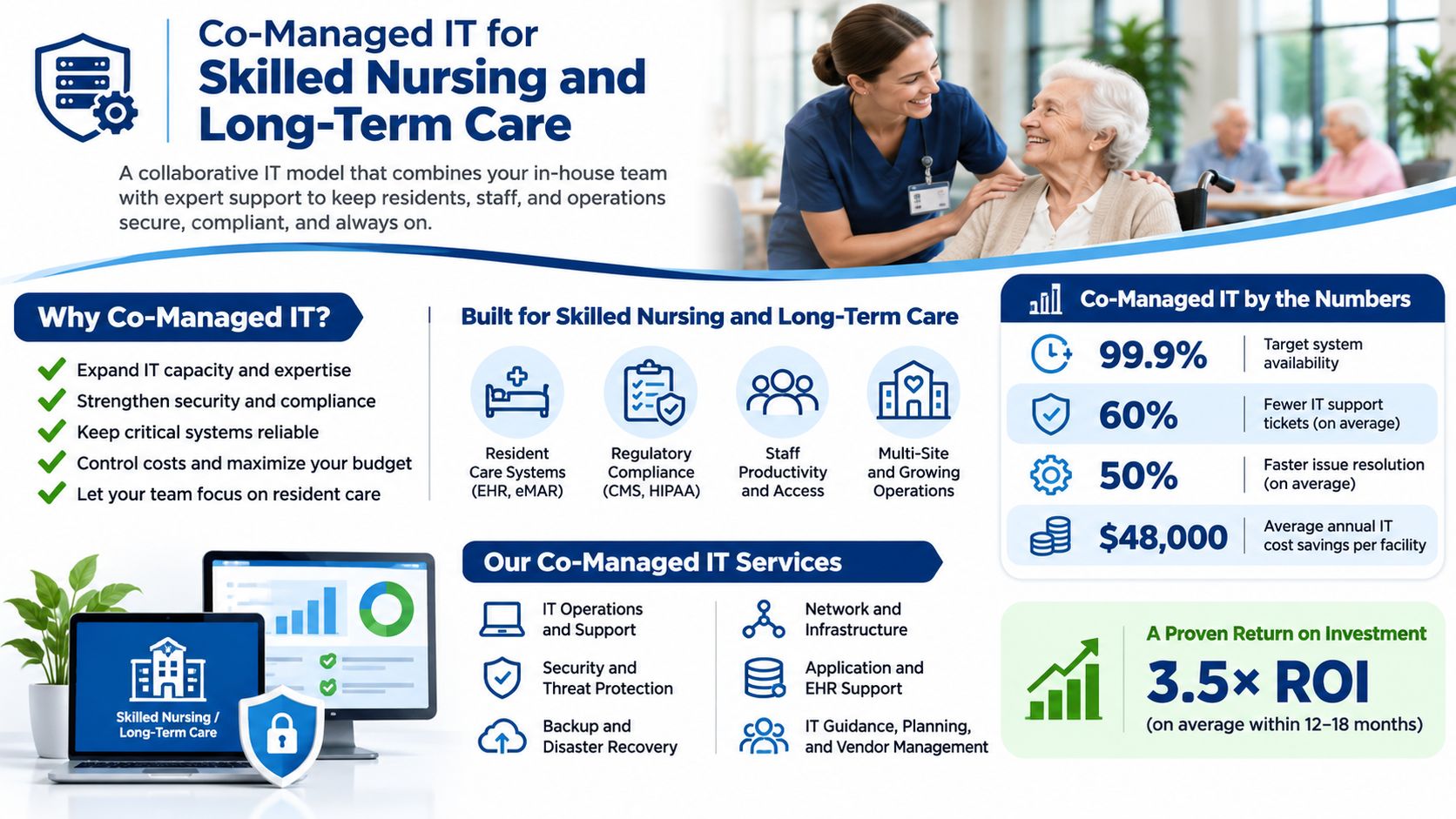
Where each duty lands
Facility leadership defines clinical requirements and decides who needs access to the EHR, including platforms such as PointClickCare, medication records and billing. The provider documents accounts, permissions, technical controls and gaps across every building. That division maps to the HIPAA Security Rule, which requires an accurate and thorough risk analysis of risks to electronic protected health information (45 CFR 164.308(a)(1)) and role-based information access management so access is authorized only when appropriate to a person's role (45 CFR 164.308(a)(4)). The access rule applies to remote use as well as on-site use.
| Duty | Facility owns | Provider owns | Metric to track |
|---|---|---|---|
| EHR and medication access approvals | Facility leadership sets roles | Provider documents accounts and permissions | Percentage of privileged accounts reviewed |
| Backup and restore testing | Facility confirms critical datasets | Provider runs and tests restores | Backup-restore success rate |
| Critical patching | Facility approves maintenance windows | Provider runs patch process | Critical-patch age |
| Security incidents | Facility leadership decides business impact | Provider monitors and triages | Mean time to contain incidents |
| Downtime readiness | Facility runs staff drills | Provider keeps network and phone service running during outages | Completion of downtime exercises |
Operations matter as much as controls. RDE Technologies designs and installs wireless networks for nursing homes and assisted living facilities, provides VoIP service that requires no on-site equipment, and supports buildings through remote and on-site IT service with 24-hour availability. More on that work is at RDE's healthcare IT support page.
Multi-building operators need the split drawn per facility, not per company. "The provider owns patching" fails the first time one building's maintenance window gets approved by the wrong administrator. Put a name on each row for each building, and attach that same name to the metric that proves the work happened.
Adding a partner does not make a facility compliant. It redistributes execution, and that only helps when the outcomes are measured, reported, and tied to a named owner on both sides.
Confirm the Split Before You Sign
A co-managed agreement fails at the handoffs, so read the contract like an operations plan. Every row needs one named owner, one backup owner, a due condition, and a place where evidence lands.
- Ask for the responsibility matrix in writing. Request escalation time limits, sample backup-restore reports, and the access revocation process. Compare it line by line against your ownership sheet; do not sign with a provider that cannot name an owner for every row.
- Move verbal promises into contract terms. Notification thresholds, evidence preservation, restore testing, maintenance windows, and revocation timelines should appear as clauses with a named party responsible for each.
- Put scope before signature. Skilled nursing and long-term care facilities can request an IT assessment from RDE Technologies covering areas such as risk, data storage, server and network infrastructure, cloud services, business continuity, and network security. Law firms and small and mid-sized businesses across Long Island and New York City can use the same assessment to map responsibilities before systems change hands.
Co-managed IT only delivers when the split is written down and each line carries one name. RDE Technologies can take the operational half of that arrangement on site or remotely, while your team keeps the business decisions only it can make. If the ownership sheet still has blanks, start an IT assessment with RDE Technologies and settle the rows before the next outage settles them for you.