
A charge nurse leaves a late voicemail about a resident's new symptoms. By morning, that message may exist as an audio recording, a speech-to-text transcript, and an attachment in someone's inbox. No phone system is HIPAA compliant on its own. The facility's settings, staff practices, and vendor agreements determine whether those copies receive appropriate protection.
Table of Contents
- Why a Phone Label Is Not Compliance
- Which Phone Features Hold Resident Information
- Safeguards That Protect Calls and Voicemail
- Vendor Paperwork and Evidence Before Go-Live
- Phones Inside a Nursing Home Emergency Plan
- Book the Free Facility Risk Review
Why a Phone Label Is Not Compliance
The nurse's message isn't just a telephone conversation anymore. Once stored electronically, identifiable resident health information becomes electronic protected health information, or ePHI. Even a caller-ID field or call log can contain protected information when its context connects someone to care.
The federal framework matters more than the wording on a sales proposal. The HHS compliance report to Congress describes the Security Rule within 45 CFR Part 160 and Subparts A and C of Part 164, including the safeguards required of covered entities and business associates.
Covered entities and business associates must use appropriate administrative, physical, and technical safeguards to protect the confidentiality, integrity, and availability of ePHI.
In plain language, authorized people need access, unauthorized people shouldn't get it, and information must remain accurate and available when needed. A secure platform can support those goals, but it can't decide which agency nurse should retain mailbox access after an assignment ends.
The Facility Holds the Keys
A phone vendor sells something like a lock for a box. The facility decides what goes inside, who holds the keys, and whether someone checks when the box is opened. Buying a stronger lock won't fix unrestricted access or unnecessary copies of resident messages.
An administrator evaluating a HIPAA compliant phone system therefore needs more than a feature checklist:
- Map the information: Identify which phone functions store or transmit resident details.
- Assign responsibility: Name who manages access, retention, and incident escalation.
- Check the relationships: Establish where vendor agreements apply and connect essential calling to emergency operations.
For procurement teams separating evidence from sales claims, the guide to independent supplier evaluation with Procright offers a useful companion to a documented review.
Compliance is an operating responsibility, not a badge attached to an extension. Final classifications and legal interpretations should be confirmed with the facility's compliance officer or counsel.
Which Phone Features Hold Resident Information
Phone features, ePHI, and the control to require
| Feature | Typically holds ePHI | BAA likely | Control to require |
|---|---|---|---|
| Live voice only, no storage | Usually no stored ePHI if the carrier is only a conduit | No for pure transport | Limit who can use handsets and admin portals |
| Voicemail | Yes if the message names a resident or care detail | Yes if the vendor stores it | Set retention, access rights, and deletion |
| Call recording | Yes when clinical content is captured | Yes | Role-based playback, admin MFA, and export limits |
| Speech-to-text transcripts | Yes when resident health information is transcribed | Yes | Same retention and access rules as the recording |
| SMS or texting | Yes if messages include PHI | Yes if the vendor keeps history | Written rule on what staff may text |
| Call-detail records | Sometimes, when numbers tie to a resident | Yes when the vendor maintains PHI beyond conduit activity | Minimize fields and set a retention period |
| EHR or CRM integration | Yes if clinical notes or recordings sync | Yes for each business associate maintaining ePHI | Least privilege and a BAA covering that flow |
| Mobile app with stored messages | Yes if clinical content stays on the app or vendor cloud | Yes if the vendor maintains it | Device lock, remote wipe, and app access control |
| Cloud backup of recordings or mailboxes | Yes when source content contains ePHI | Yes | Encryption, backup retention, and tested deletion |
A carrier passing a live call through is different from a cloud mailbox keeping a message about a pressure injury. No storage doesn't mean no privacy obligation; it means there may be no retained recording for that carrier to manage. Handset access and the privacy of the conversation still matter.
Encryption during transmission doesn't erase a stored recording. A voicemail copied into email, converted into text, or downloaded onto a phone creates another location that the facility must account for.
Reading a Quote Against Actual Work
For administrators unfamiliar with internet-based calling, RDE's explanation of what VoIP phone service is provides background on the transport. The important purchasing question is what happens after the call reaches its destination.
Voicemail, recording, and transcription deserve close attention. Say a nurse leaves a resident's name, medication concern, and callback number. The audio and transcript require controlled access, while any downloadable attachment introduces an additional copy. A greeting can request a callback number without inviting a detailed clinical history.
Texting and fax-to-email need the same practical scrutiny when staff exchange clinical updates. A fax landing in a broadly shared inbox or a text retained in message history shouldn't escape review because nobody recorded a call.
Call-detail records require a closer look at context. A telephone number alone isn't automatically health information, but a number linked to an identified resident and a care-related interaction can reveal more than administrators expect.
Follow Every Additional Copy
An integration that places call notes in PointClickCare or another electronic health record adds a destination. A mobile app may retain messages locally, and a backup service may keep recordings after staff remove them from the visible mailbox. Each location belongs in the information inventory.
Cost comparisons should account for those operational choices, not just extension charges. Recepta.ai's discussion of healthcare phone system costs and ROI can help frame the purchasing conversation, while the facility separately evaluates privacy and security.
Safer design: Keep the smallest practical amount of resident information in voicemail, caller ID, transcripts, and recordings.
Unused recording, transcription, and synchronization features should be disabled or tightly restricted. Counsel should confirm the classifications rather than treating every row as an automatic legal determination.
Safeguards That Protect Calls and Voicemail
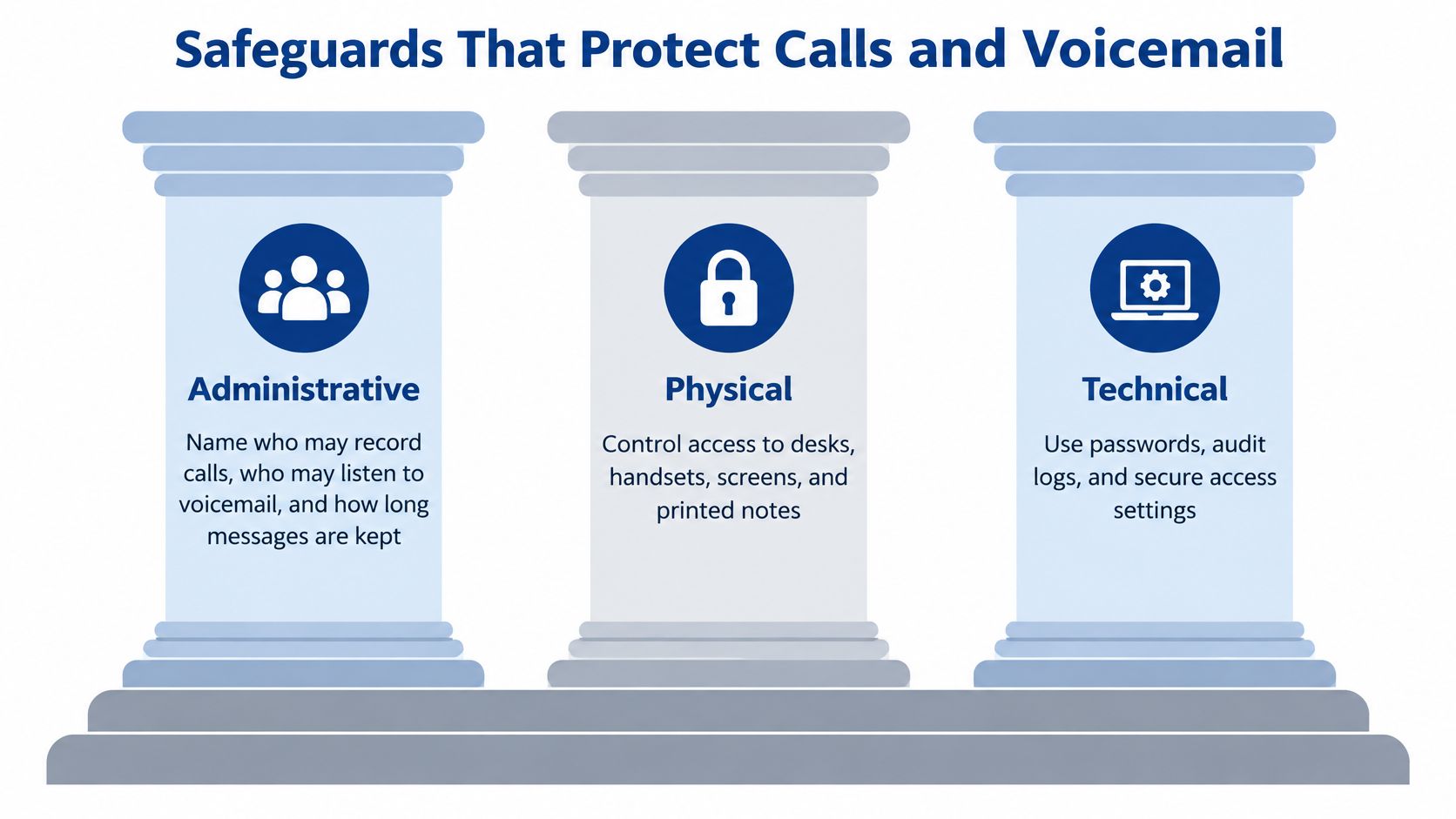
The HIPAA Security Rule, including 45 CFR 164.308, 164.310, and 164.312, organizes protection around administrative, physical, and technical safeguards, as described in HHS's Security Rule overview. For a nursing station, those categories translate into staff decisions, protection of equipment, and controls inside the system.
The safeguards work together, as this overview illustrates.
Administrative and Physical Safeguards
Administrative safeguards establish who may do what. The director of nursing and privacy officer should define who can record calls, who can listen to clinical voicemail, and how long each message category remains. Staff also need a clear route for reporting a message sent to the wrong recipient.
At a nursing station, an agency staffer shouldn't retain access because nobody notified IT when the assignment ended. The facility should make access removal part of the departure workflow, with a named person responsible for initiating it.
Physical safeguards address the setting. Staff should use a handset or headset rather than play clinical voicemail through a speaker audible from the hallway. Screens in medication rooms and business offices need protection from casual viewing; resident-room phones introduce different concerns because visitors may overhear conversations.
Technical Controls and Account Removal
Technical safeguards include audit controls, integrity protections, and transmission security. Administrators should require unique accounts, role-based permissions, and multifactor authentication for administrative access where supported. Logs should make access, exports, configuration changes, and deletion events reviewable.
Encryption in transit is important, but it doesn't protect a mailbox left accessible by itself. Under the current Security Rule, encryption is an addressable implementation specification, not permission to ignore the risk; the facility must document its assessment and appropriate measures. RDE's guide to HIPAA technical safeguards offers additional operational context.
A departure checklist should include:
- Disable access: Remove the departing worker's account or extension permissions without disrupting an essential shared line.
- Remove mobile access: Revoke app sessions and managed-device access.
- Reassign voicemail: Give an authorized replacement responsibility for pending messages.
- Check local copies: Confirm recordings aren't left on a personal phone.
Escalate Suspected Disclosures Immediately
A misdirected message should reach the privacy officer promptly. That person should record when the incident became known and coordinate assessment with counsel; discovery isn't postponed until the officer opens a ticket.
Under 45 CFR 164.404 and 164.408, individual breach notices generally are due without unreasonable delay and within 60 calendar days; notice to HHS follows that deadline for breaches affecting 500 or more individuals, according to HHS breach-reporting guidance. Smaller breaches have a different HHS reporting schedule. Counsel should confirm applicability, discovery dates, and notification duties for the specific incident.
Vendor Paperwork and Evidence Before Go-Live
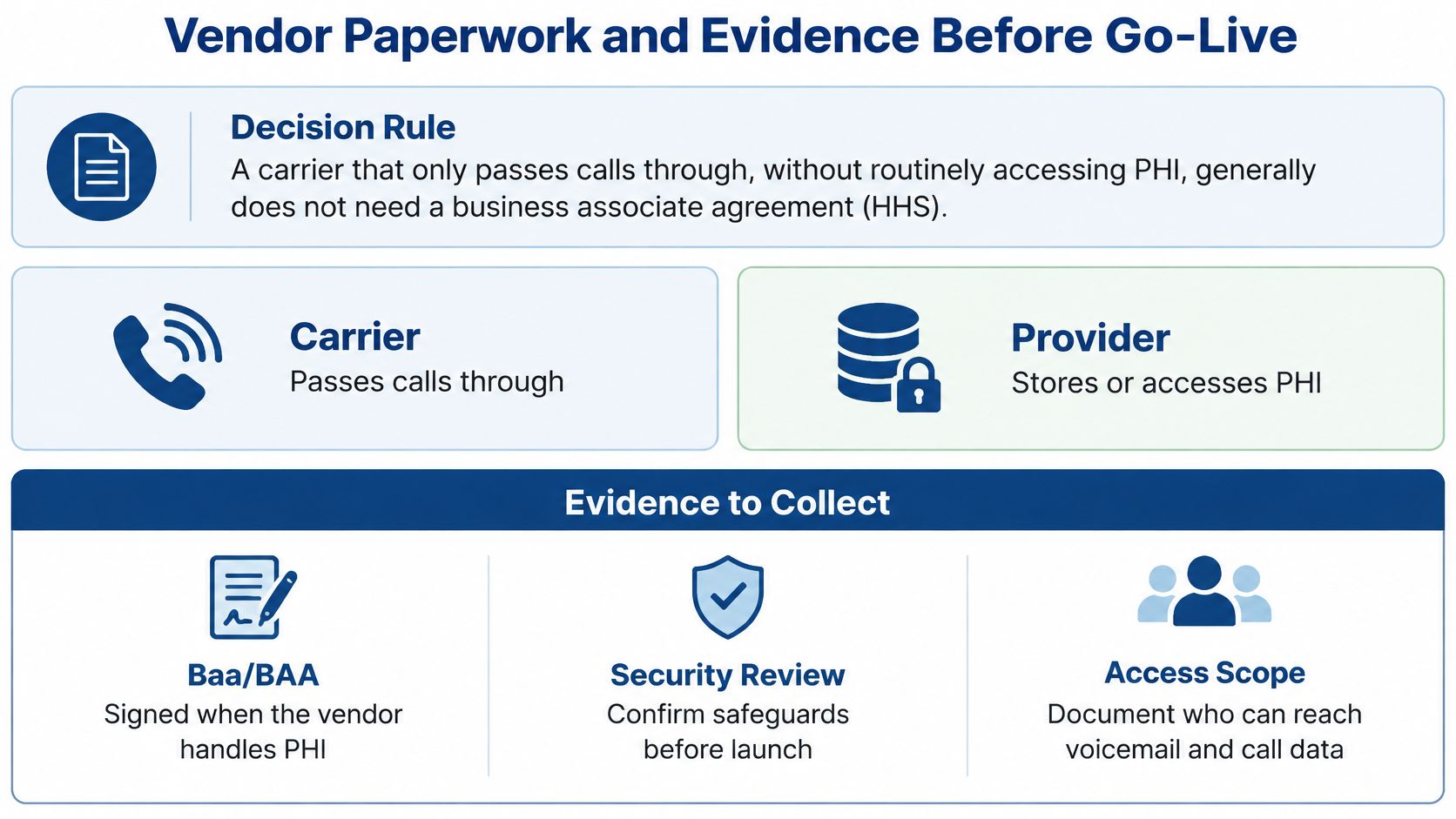
The vendor's role determines whether a business associate agreement is needed. A carrier that only passes calls through, without routinely accessing or maintaining PHI, generally falls within the conduit exception. A service storing voicemail, transcribing speech, retaining message history, or analyzing resident content may be a business associate, as explained in HHS audio-only telehealth guidance.
Storage still matters when the vendor says its employees never listen to messages. The evaluation concerns what the service does with information, not merely whether someone chooses to open a recording.
The distinction below helps procurement staff separate transmission from ongoing information handling.
The Evidence Packet
Documents to have before the phones go live
| Document | What it should show | Red flag |
|---|---|---|
| Current BAA | Permitted uses and disclosures, required safeguards, breach-notification duties, subcontractor obligations, return or destruction of PHI at termination, termination rights for material violations | A marketing sheet instead of a signed agreement |
| Subcontractor list | Every party that stores recordings, transcripts, or backups | Unknown cloud hosts |
| Retention and deletion terms | How long voicemail, recordings, texts, and backups remain and how deletion works | Indefinite retention with no deletion path |
| Audit-log sample | Access, export, configuration change, and deletion events the customer can review | Logs the customer cannot obtain |
| SLA read with the BAA | Uptime, outage notice, and support that do not weaken HIPAA duties | An SLA that waives security obligations |
| Risk-analysis note | How this system's ePHI is covered in the facility's own analysis | A vendor certificate treated as the analysis |
| Export and offboarding terms | How recordings and mailboxes are returned or destroyed at contract end | No way to get the data out |
A signed BAA isn't the facility's risk analysis. HHS cloud-computing guidance explains that covered entities must assess risks to their ePHI and ensure service-level agreements don't conflict with the BAA or HIPAA requirements. The administrative risk-analysis requirement appears at 45 CFR 164.308(a)(1)(ii)(A).
For example, an uptime commitment says little about whether an administrator can retrieve access logs after a suspected disclosure. Likewise, deletion from an active mailbox doesn't establish when backup copies expire. The packet needs answers to both operational and contractual questions.
Collect Evidence Before Authorizing Launch
The administrator, IT lead, and privacy officer should work through a documented collection process:
- Inventory destinations. Record everywhere calls, voicemail, texts, transcripts, and backups can land. Include PointClickCare notes if staff or an integration log clinical calls there.
- Match each relationship. Identify the signed BAA covering each business-associate relationship, or document the reason a carrier qualifies as a conduit.
- Read lifecycle terms. Review retention, deletion, export, and subcontractor provisions together. Record which obligations continue after cancellation.
- Request working evidence. Obtain a representative audit log and the after-hours escalation path. Confirm who can request logs and how the facility receives them.
- Update the facility's analysis. Document identified risks, selected controls, unresolved gaps, and the person responsible for each corrective action.
The facility doesn't necessarily contract directly with every downstream hosting company. Its business associate must establish appropriate agreements with applicable subcontractors. A reseller's signature therefore isn't a reason to stop asking where recordings and backups reside.
A complete packet explains where resident information goes, who can reach it, and how the facility can recover or remove it.
Recognize a Packet That Isn't Ready
Indefinite retention, unavailable customer logs, unidentified hosts, and conflicting security terms are reasons to pause deployment. Verbal assurances shouldn't substitute for contract language or a usable system demonstration.
Export terms also deserve a practical test. An administrator should establish whether returned files include the information needed to identify their contents, and whether authorized staff can retrieve them without keeping a canceled account active indefinitely.
The facility retains its own notification responsibilities even when a vendor supplies strong security. Review the packet with the privacy officer or counsel before signing, and treat HIPAA-compliant IT services as part of the broader operating environment rather than a substitute for legal review.
Phones Inside a Nursing Home Emergency Plan
A phone outage can leave a nurse unable to reach a physician or pharmacy. During an emergency, HIPAA duties still apply, although the Privacy Rule allows certain disclosures for emergency response and disaster relief. HHS ASPR TRACIE's long-term-care emergency-preparedness guidance addresses communication planning and disruptions to essential resources.
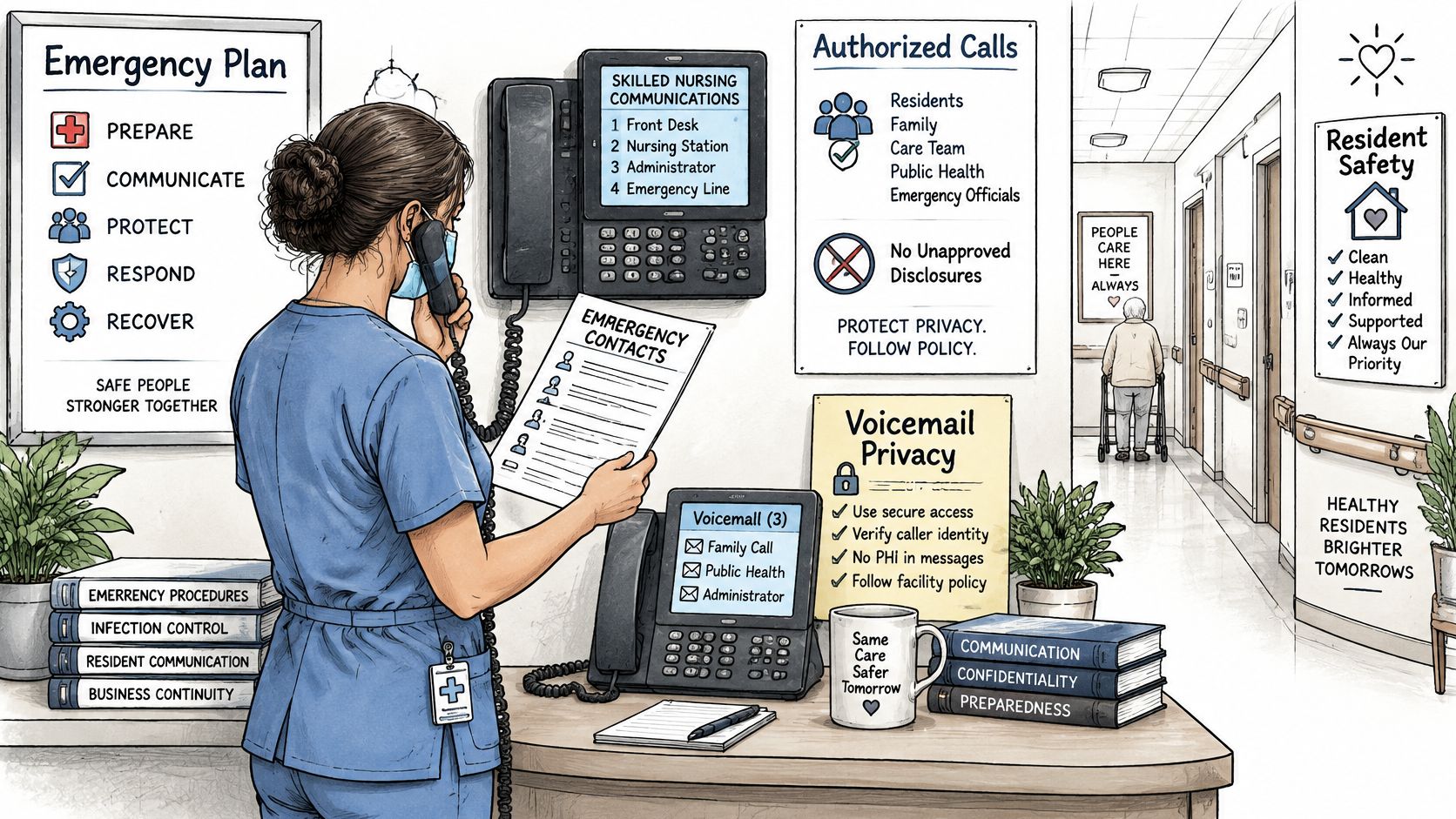
Staff need access to emergency calling procedures at the nursing station, even when normal phone service is unavailable.
Identify the Switching Point
The emergency plan should list primary and alternate ways to reach physicians, pharmacies, resident representatives, and corporate leadership. It should also name who can direct staff to switch to the fallback method and provide vendor escalation contacts for after-hours problems.
The CMS emergency communication-plan requirement is found at 42 CFR 483.73(c) and covers contact information for staff, contracted entities, residents' physicians, other long-term-care facilities, volunteers, and emergency-preparedness officials, as summarized in the ASPR TRACIE long-term-care guidance. The compliance officer should review the applicable requirements and current Appendix Z guidance.
A phone outage needs a clinical response, not just an IT ticket. Set a clear point at which staff stop relying on the hosted service and use an approved alternative.
This video can support a staff discussion about phone-system planning.
Test Failure in Every Building
Hosted phones, internet service, electrical power, and the building network can fail independently. If desk phones depend on the same internet circuit, losing that circuit may also cut off cloud voicemail. The fallback route should not depend on the system that failed.
Test specific tasks during an exercise:
- Reach key contacts: Place an approved test call using the alternate route, and confirm contact information is available offline.
- Activate the fallback: Have the designated staff member switch systems, rather than relying on an IT specialist's demonstration.
- Check after-hours handling: Confirm who answers, where messages are stored, and how an urgent message reaches the director of nursing without going to personal voicemail.
- Record building-specific gaps: Document results for each building, including unavailable devices and missing access credentials.
Keep nurse-call equipment, resident Wi-Fi, and business phones distinct in the plan, with each system's dependencies documented. A Wi-Fi problem does not necessarily mean nurse-call equipment has failed, and working resident internet does not confirm that clinical communications are available.
A successful test in one building does not establish readiness across the facility. Each building needs evidence that staff can complete essential calls during an outage.
Book the Free Facility Risk Review
When a phone renewal is approaching, the administrator can assign an owner to review how the system handles resident information. Gather the enabled features and vendor documents, then check what may appear in voicemail, caller ID, transcripts, or recordings. The goal is to see what information the system retains and what evidence the vendor can provide.
A focused review can surface practical gaps: a mailbox that accepts unnecessary details, missing vendor paperwork, or a fallback calling route that staff have not tested. Keep the phone review distinct from an IT assessment, which may cover broader infrastructure and security needs.
A Facility-Level Starting Point
RDE Technologies is based in Oceanside, New York, and provides IT services to businesses, with service availability nationwide. Its offerings include IT assessments, VoIP services, managed security, and data backup. An IT assessment can examine areas such as risk, data storage, network security, infrastructure, cloud services, and business continuity.
Before contacting a provider, prepare a short list:
- Bring the current proposal: Include the enabled features, not just the advertised service tier.
- Locate the vendor packet: Gather agreements, retention terms, and available examples of system logs.
- Name the clinical contact: Include someone familiar with night-shift voicemail and urgent callback workflows.
Administrators can contact RDE Technologies to discuss phone-system needs and the broader IT support relevant to their organization. Ask vendors to explain what information each phone feature stores, how long it is retained, and what documentation they can provide. A product label alone does not establish HIPAA compliance.