







The evening shift can't open resident records, the office phones are unreliable, and the administrator is still waiting for a technician to call back. That's when a low monthly IT fee stops looking like a bargain. Businesses comparing managed IT services in NYC should treat the agreement as a continuity contract, not a subscription to computer repair.
For a nursing home, law firm or growing Long Island business, the buying decision comes down to evidence: who responds, which systems are covered, and whether operations can recover when something fails. A provider's proposal should answer those questions before anyone signs.
Table of Contents
- What Managed IT Services Include for New York Businesses
- How Managed IT Pricing Is Usually Structured
- Questions and Red Flags to Check Before You Sign
- Security, Backup and HIPAA Duties for Healthcare and Law Firms
- Recovery Targets and What Uptime Should Mean
- First 24 Hours After Suspicious Activity
- Choose a Provider and Book Your IT Assessment
What Managed IT Services Include for New York Businesses
A delivery fleet needs scheduled maintenance that catches worn brakes before a driver gets stranded. Business technology needs the same discipline. Managed IT means an outside provider takes ongoing responsibility for keeping computers, networks, servers, phones and data working, usually for a recurring fee, rather than waiting for equipment to break.
Historical context: Between 2006 and 2013, nearly 5,000 breaches reported to the New York State Attorney General exposed 22.8 million personal records belonging to New Yorkers. That history supports a basic purchasing principle: security and maintenance belong in an ongoing operating plan.
The service categories are straightforward, but their boundaries need careful review.
Core managed IT service areas
| Service area | What it covers | What to verify |
|---|---|---|
| Help desk and remote support | Staff problems solved by phone, chat or remote session | Hours of coverage and contact channels |
| Monitoring and patching | Servers and devices watched for faults; updates applied on a schedule | Patch cycle and reporting |
| Data backup | Onsite and offsite copies of business data | Restore testing and retention period |
| IT security | Firewalls, managed antivirus, ransomware protection, MFA | Which devices and accounts are covered |
| Network and wireless | Network management, switches, Wi-Fi design, cabling | Replacement cycle and who pays for equipment |
| Hosting and VoIP | Cloud or hosted servers and business phone systems | Data location and phone failover |
| IT assessment and setup | Review of current systems and new technology installation | Written findings and priority list |
Separate the tools from the service
Monitoring software can detect a fault without anyone taking responsibility for fixing it. The contract must connect each alert to an owner, an escalation path and a record of the work completed. This explanation of remote monitoring and management software helps distinguish the technology from the service delivered through it.
The service map below shows how those responsibilities fit together.
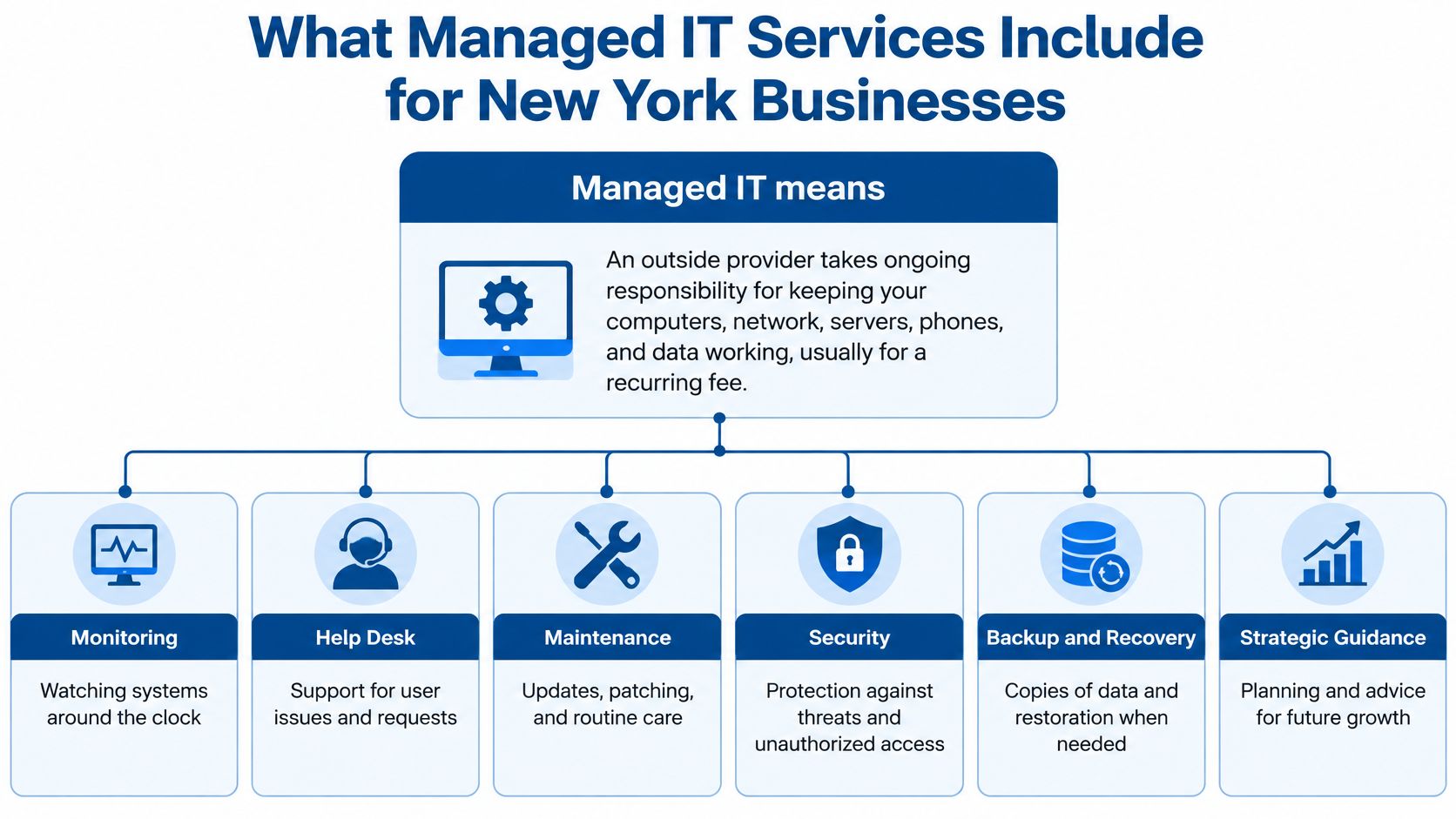
An assessment should also identify ownership boundaries. A network provider may maintain the connection used by an EHR without administering the EHR itself. Likewise, keeping a phone system online doesn't automatically include replacing failed handsets or handling carrier disputes.
RDE Technologies provides managed IT, maintenance, network setups, security and web hosting throughout New York, including onsite and remote infrastructure support. Its security services include server and network monitoring, firewalls, managed antivirus, desktop patch management and endpoint ransomware protection.
Contract rule: If a device, service or responsibility isn't on the written list, assume it isn't included.
How Managed IT Pricing Is Usually Structured
The monthly fee is only one line of the total cost. A useful comparison includes recurring support, licensing, equipment, onboarding and separately quoted projects.
Providers may combine several billing models. None is automatically better; the right choice makes the organization's actual workload predictable without leaving essential controls outside scope.
Common managed IT pricing models
| Pricing model | How it is billed | Watch for |
|---|---|---|
| Per user | Monthly fee for each staff member, covering their devices | Add-ons for servers, phones and extra devices |
| Per device | Monthly fee for each computer, server, printer or phone | Device counts that grow faster than staff |
| Tiered bundles | Fixed packages such as basic, standard and premium | What each tier leaves out of scope |
| Block hours or time and materials | Payment for support hours used | Unpredictable bills during a bad month |
| Project fees | One-time charges for setup, moves, migrations, wireless or cabling | Work quoted separately from the monthly contract |
| Add-on services | Separate fees for after-hours coverage, compliance reporting or extra backup retention | Costs that appear only after signing |
Budget pressure makes exclusions particularly important. LegalClarity's discussion of cybersecurity costs offers context for evaluating security spending, but the practical test is the proposal: a cheaper package that excludes essential protection isn't an equivalent offer.
For additional comparison context, MR2 Solutions' managed IT services pricing benchmarks can help buyers frame questions about billing models. Published benchmarks shouldn't replace a quote tied to an accurate inventory.
Build a fully loaded annual comparison
Per-user pricing suits organizations where staff each have assigned devices. Per-device pricing can be more revealing in nursing facilities with shared workstations, while hourly support may fit occasional noncritical work but expose the organization to unpredictable incident costs.
A comparison worksheet should include:
- Inventory: Endpoints, servers, phones, shared workstations and network equipment.
- Coverage: After-hours support, onsite visits and travel charges.
- Licensing: Microsoft or other cloud subscriptions, plus security tools.
- Compliance and storage: Reporting, backup retention and data export.
- Lifecycle work: Equipment replacement, migrations, wireless upgrades and cabling.
An internal hire deserves the same accounting. Salary alone omits benefits, tools, recruitment, vacation coverage and after-hours responsibility. Compare that fully loaded cost with the managed contract's annual cost, including exclusions.
Outsourcing doesn't automatically save money. Its stronger value may be less operational risk and more dependable coverage, especially when the alternative relies on an employee who can't be available continuously.
Questions and Red Flags to Check Before You Sign
The best test of a provider is a set of specific questions answered in writing. A polished presentation doesn't establish who takes responsibility during an outage.
Send the same questions to each shortlisted company. Score every answer solid, partial or missing, then require unresolved items to be addressed before signing.
Questions to ask a managed IT provider
| Question to ask | Solid answer | Red flag |
|---|---|---|
| What are the help desk hours and contact channels? | Around-the-clock coverage through named channels such as phone, chat or portal | Business-hours-only support despite after-hours operating needs |
| Who handles an urgent outage after hours? | A written on-call and escalation path | Voicemail with no escalation |
| What exactly is in scope? | Covered devices, services and exclusions listed in writing | Unlimited support with no list |
| How are systems monitored and patches applied? | Continuous monitoring and scheduled patching with reports | Vague claims about watching systems |
| Can recent backup restore results be supplied? | Dated tests showing elapsed restoration time | Only backup-success emails |
| How are security incidents handled and reported? | Written incident steps and notification commitments | No written incident plan |
| Is reporting available by location? | Separate reports for each building or office | One combined report that hides local problems |
| What happens to data and access at termination? | Defined data return, credential handover and transition assistance | Vague answers or no exit terms |
Make service levels meaningful
A response means someone acknowledges and begins handling a problem. A resolution means the affected service has been restored or an agreed workaround is operating. Contracts should distinguish them, define severity levels and explain how third-party dependencies affect commitments.
Confirm a staffed help desk and a usable remote support portal rather than assuming both exist. A portal should let authorized staff submit requests and follow progress, not merely download a remote connection utility.
For healthcare operators, answers should address EHR connectivity, staff workstations and backups building by building. A centralized dashboard isn't enough if the administrator can't identify which facility has unresolved risks.
Treat slow call-backs as evidence
Consider a hypothetical warning sign: a voicemail left Monday receives a reply Thursday, after the system has been down since Tuesday. That's not a minor communication issue. It shows that the provider's intake and escalation process may not match the business's operating needs.
Other warning signs deserve equal attention:
- Impossible promises: Zero downtime or total security.
- Single-person dependency: One technician is the only usable contact.
- Unplanned onboarding: No inventory, access review or transition checklist.
- Restrictive terms: Long lock-in without workable termination assistance.
- Missing evidence: Reluctance to share redacted restoration or audit records.
- Sales pressure: A signature requested before the scope review is complete.
An administrator shouldn't have to discover the escalation chain during an outage.
Before signing, arrange an after-hours support demonstration. Call the main line, submit an agreed test request and record the reply time and handoff quality. The demonstration won't prove future performance, but it can expose a process that exists only in a proposal.
Security, Backup and HIPAA Duties for Healthcare and Law Firms
For HIPAA-covered providers and their business associates, the Security Rule, 45 CFR Part 164, Subpart C, requires administrative, physical and technical safeguards for electronic protected health information. An IT contract should assign the technical work clearly without suggesting that outsourcing transfers the facility's compliance responsibility.
The illustration below connects the common security needs of facilities and professional offices.
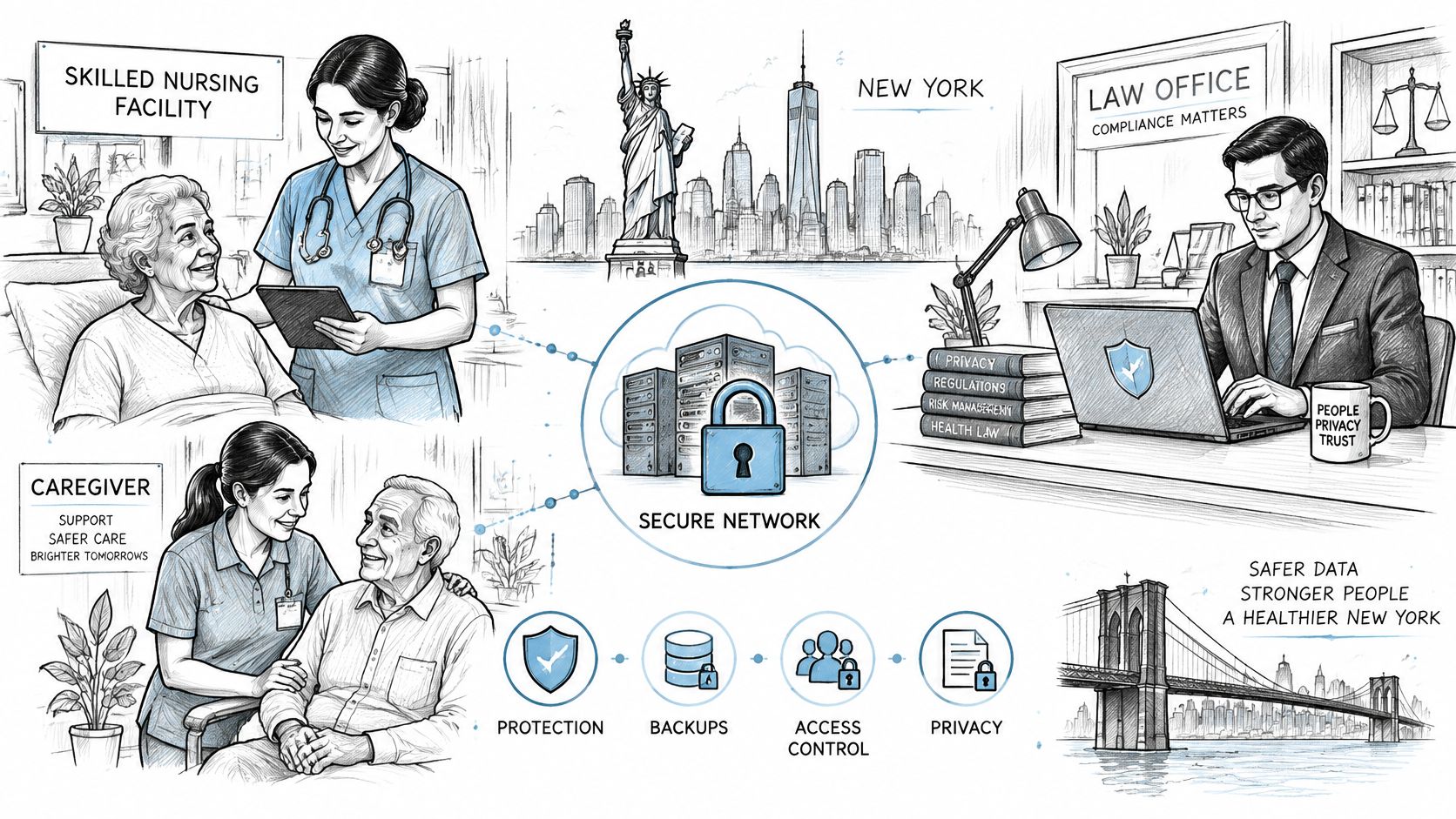
Under 45 CFR 164.308(a)(1)(ii)(A), the organization needs an accurate and thorough risk analysis; HHS risk-analysis guidance explains that the assessment must address risks to the confidentiality, integrity and availability of ePHI. An antivirus check alone doesn't meet that purpose.
Follow resident information across every building
A facility assessment should cover PointClickCare or another EHR, medication and billing systems, workstations, mobile devices, network equipment, remote access, backups and business associates. It should identify where resident information enters, moves through and leaves the organization.
The HHS Security Rule overview provides the safeguard categories that should shape the division of responsibilities.
HIPAA Security Rule safeguards and what the provider handles
| Safeguard category | Examples under the Security Rule | What the managed provider handles |
|---|---|---|
| Administrative | Security management, workforce security, awareness training, incident procedures, contingency planning, business-associate arrangements | Assigned risk-analysis support, training records, incident steps, backup and downtime plans |
| Physical | Facility access, workstation use and security, device and media controls | Assigned workstation lockdown, device inventory and secure media disposal |
| Technical | Access control, audit controls, integrity, authentication, transmission security | Assigned role-based EHR access, MFA, audit-log review and encrypted transmissions |
The scope should include authenticated, limited EHR access and documented review of system activity. Encryption decisions need documented assessment, not a blanket assumption that every setting is protected.
NIST Cybersecurity Framework 2.0 supports continuous monitoring and coordinated incident response. Practically, that means collecting relevant logs, identifying abnormal access and assigning someone to investigate alerts.
The following video provides additional context for the security discussion.
Keep care and confidentiality in scope
Nurse call, resident Wi-Fi and clinical networks need distinct ownership and appropriate separation. Nurse-call specialist responsibilities should be explicit; ordinary network support shouldn't be mistaken for maintaining the entire clinical system. Evening and weekend coverage matters because care doesn't stop when office staff leave.
Downtime procedures should support continued care and align with the facility's emergency planning. Compliance staff should map applicable CMS survey and emergency preparedness obligations rather than accept a generic claim of CMS compliance.
Law firms need similarly explicit protection for client email, documents, MFA and retention terms. HIPAA doesn't apply to every law firm, though business-associate duties may apply to particular work.
Vigil Security's discussion of one control set for multiple frameworks offers a useful way to organize overlapping controls without treating different obligations as interchangeable. A review of HIPAA-focused IT services can help define the technical scope.
Confirm regulatory details with the organization's compliance officer or counsel.
Recovery Targets and What Uptime Should Mean
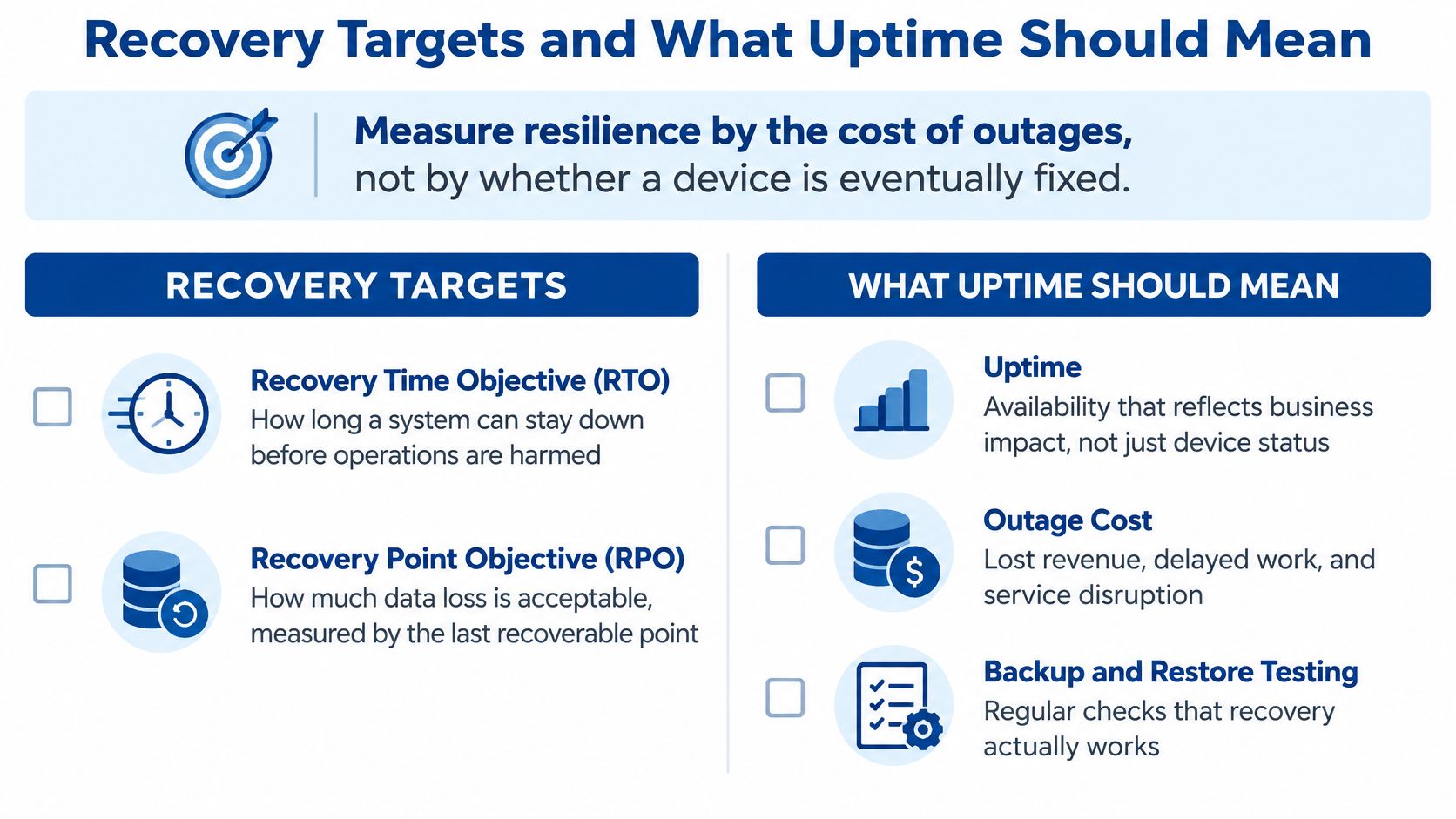
Measure resilience by the operational cost of an outage, not by whether a technician eventually repairs a device. The Uptime Institute's annual outage analysis provides a useful framework for thinking about service interruption and recovery.
A server can be running while staff still can't use the application it supports. Meaningful availability therefore needs to reflect the employee's ability to complete critical work.
Set targets around actual work
Two terms belong in every continuity discussion:
- Recovery time objective, or RTO: How long a system can remain unavailable before the interruption becomes unacceptable.
- Recovery point objective, or RPO: How much data loss is acceptable, measured back from the incident to the last recoverable copy.
Say a hypothetical three-building operator loses its scheduling system during a weekday. Management needs to decide how long each building can work from its downtime materials and how much of the day's scheduling activity staff could reconstruct.
Those answers may differ from the requirements for payroll archives or a public website. Giving every system the same target either wastes money or leaves critical work underprotected.
The recovery checklist below keeps the discussion tied to business impact.
Require proof of usable recovery
A backup-success email confirms that a job reported completion. It doesn't establish that an application can start, its dependencies are available or authorized staff can log in.
Isolated or immutable backup copies help protect recovery options when ransomware reaches production systems. Restoration exercises should also verify clean recovery conditions, access permissions and application functionality. A practical backup scheduling guide can help connect copy frequency with business requirements.
Monitoring should identify leading indicators such as storage filling, repeated connectivity drops or power problems. Tested failover connectivity, standardized configurations and controlled changes help prevent a local fault from disrupting other sites.
Recovery evidence should show what staff could actually use after restoration, not just which files were copied.
The procurement file should contain:
- Workload targets: Approved recovery objectives for each critical system.
- Test records: Recent restoration results, exceptions and corrective actions.
- Redundancy diagrams: Connections, power dependencies and failover routes.
- Escalation procedures: Named operational roles and decision authority.
- Incident reviews: What failed, what restored service and what changed afterward.
First 24 Hours After Suspicious Activity
Suspicious activity needs coordinated action, not improvised troubleshooting. The first day can affect containment, evidence quality and the organization's ability to determine what happened.
Follow an incident checklist
- Isolate without wiping. Disconnect an affected device from the network or disable a compromised account through authorized technical staff. Avoid deleting files, reinstalling software or destroying evidence.
- Preserve logs. Secure firewall, server, EHR-access and email records before normal retention processes overwrite them. Record who collected each item.
- Activate the response team. Contact the managed provider's incident line, incident-response specialists and legal or privacy counsel. Assign an internal decision-maker.
- Assess information exposure. Use preserved evidence to determine whether protected health information or confidential client data was accessed. Don't equate a suspicious alert with a confirmed breach.
- Assign notification decisions. Counsel and the privacy officer should assess applicable duties, including the HIPAA Breach Notification Rule at 45 CFR 164.400 through 164.414. Record who owns each determination and communication.
- Continue essential work. Activate approved care or client-work downtime procedures and record actions with timestamps.
Keep authority clear
Staff should know who can disconnect systems, approve outside assistance and authorize communications. Restoring access without understanding the incident can reconnect compromised equipment or overwrite useful evidence.
A provider without written incident steps fails a basic purchasing test. Healthcare operators should confirm notification duties with their compliance officer or counsel; law firms should also assess client, contractual and applicable legal obligations before issuing notices.
Choose a Provider and Book Your IT Assessment
Judge a managed IT provider as a continuity contract, not a monthly invoice. The right company is the one whose documented recovery steps, response commitments and service scope match the organization's buildings, working hours and tolerance for interruption. Price and proximity come second.
A disciplined selection process keeps sales presentations from becoming the deciding factor.
- Shortlist three providers that serve the organization's location and industry. Distinguish remote support from actual field-technician availability.
- Send the same eight questions to each company. Keep written answers and supporting documents together.
- Compare annual cost and scored answers. Treat missing evidence as an unresolved risk, not an administrative detail.
- Sign the service levels before onboarding. Confirm responsibilities, exclusions and transition ownership while both parties can still negotiate.
Match coverage to each facility
A regional provider may handle local offices onsite while covering distant locations remotely. Multi-building operators need a written field-service arrangement for faults that cannot be fixed through a remote session, plus a named escalation path when remote support stalls.
RDE Technologies is based in Oceanside, New York, serves businesses throughout New York and the Tri-state area, provides on-site services in New York, and delivers remote support to companies beyond New York through an online support and collaboration portal. Support runs 24 hours a day, seven days a week, and certified engineers stay in contact with clients from the start of a project through completion. The company monitors systems, protects data and works to resolve problems before they interrupt operations.
Healthcare and multi-site operators should ask how a provider covers buildings that need hands-on work. RDE designs and installs wireless networks for large offices, hotels, retail spaces, nursing homes and assisted living facilities, which raises a concrete scope question for the contract: whether cabling, wireless and field work sit inside the managed agreement or bill separately.
Administrators can review RDE's managed IT services for New York businesses and request an IT assessment. Its assessments cover cost reduction, risk, data storage, server and network infrastructure, cloud services, business continuity and network security. Ask for a written list of current risks, gaps and priorities rather than an equipment shopping list.
RDE Technologies offers managed IT, maintenance, security, backup and onsite and remote support for organizations that depend on reliable systems. Visit RDE Technologies to request an assessment and bring the current device inventory, support agreement and unresolved outage list so the discussion starts with concrete priorities.